Building a WordPress site can be fast and fun with the right tools. You don’t need to write code to make beautiful pages. Modern drag and drop page builders let you design layouts by simply clicking and dragging elements on the screen.
Many site owners use builders like Elementor, Beaver Builder, or Thrive Architect to quickly create landing pages and full websites. These tools save time and let you see changes live as you work. Whether you’re a blogger, small business, or creative professional, a visual drag and drop page builders for WordPress can help you launch a professional site faster.
A drag and drop page builder lets you design WordPress pages visually, without coding. You can pick pre-built templates or widgets (images, text, buttons, etc.) and arrange them on your page with a live preview.
Page builders often include template libraries and design blocks to speed up your workflow. Many users report that these tools let them create polished sites and landing pages in a fraction of the time it would take with code.
Table of Contents
Should You Use a WordPress Website Builder?
You might wonder: Do I really need a page builder? WordPress actually includes a built-in block editor(Gutenberg) that you can use for free. This default editor lets you build content with blocks (paragraphs, images, columns, etc.). For simple blog posts or basic pages, Gutenberg often works fine. However, the block editor is still no match for the powerful page builder plugins when it comes to design flexibility.
If you want full control over every page’s design (headers, footers, columns, backgrounds, etc.) without coding, a dedicated page builder makes sense. These plugins offer far more layout options and visual design tools than the default editor.
They also often include useful features like mobile responsiveness, global styles, and WooCommerce support that standard WordPress themes may not include. If you value ease of use and design freedom, a page builder can be very helpful. But if your needs are simple and you prefer the lightweight default tools, using Gutenberg and a quality theme is perfectly fine.
Why Use a Drag and Drop Page Builder Plugin?
Drag-and-drop page builders work visually and intuitively. Instead of editing blocks or shortcodes, you literally click on the page and move elements around. This WYSIWYG (what-you-see-is-what-you-get) approach means you see exactly how your site will look as you design. For example, builders like Beaver Builder or Divi let you place images, text boxes, sliders, or widgets and immediately see the result. There’s no need to save and preview over and over.
Using a visual builder speeds up site creation and lowers the learning curve. Most builders include ready-made templates and modules. Elementor provides dozens of widgets and a library of page templates. Divi offers hundreds of layout packs and content modules for different website types. Even builders with simpler interfaces, like Brizy, include starter templates for landing pages or portfolios. These assets let you launch pages quickly. Just pick a layout, then click and edit any element on the page to customize it.
Another big advantage is that page builders often handle responsiveness automatically. Most builders let you design for mobile, tablet, and desktop views all within the same interface. They also come with built-in style controls (fonts, colors, spacing) so you can apply a consistent design without touching code. And many work easily with popular WordPress features like WooCommerce or SEO plugins. Overall, a drag-and-drop builder can turn site design into a visual, code-free process that’s easy for beginners and fast for experienced users.
Why Choosing the Right Page Builder Matters
Not all page builders are created equal. The choice of builder can affect your site’s speed, flexibility, and long-term maintainability. For example, some builders output less efficient code that can slow down page loads. Sites built with Elementor load noticeably slower than the default editor or even some competing builders. In contrast, builders like Bricks and Oxygen are praised for their clean code and performance.
Pricing and licensing are also key. Some builders charge annual fees per site, while others offer lifetime plans. The right choice depends on your budget and project. Ease of use is another factor: if you’re new to WordPress, a simpler UI like Brizy or Elementor may be a better fit than a more complex, developer-focused tool like Oxygen or Bricks. Compatibility is important too, you’ll want a builder that works with your theme and other plugins. Beaver Builder and Divi can be used with almost any WordPress theme, whereas Oxygen and Bricks replace the theme entirely by building the whole site.
Finally, consider the ecosystem. Elementor and Divi have huge communities and many third-party add-ons. That means more templates and widgets if you need them. Smaller builders may have fewer extensions but sometimes include features in the core plugin. For example, many WooCommerce blocks in Breakdance or Thrive’s marketing tools. Choosing wisely ensures you get the features you need without unwanted blocks or
Must-have WordPress Page Builder Features
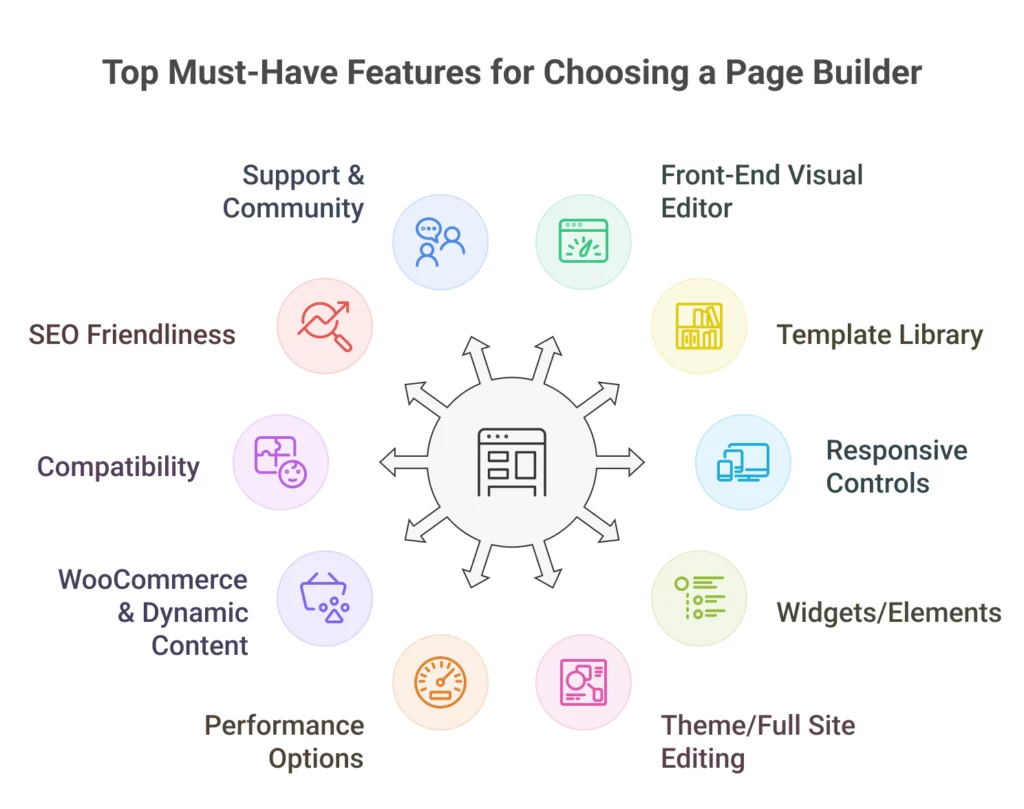
When comparing page builders, look for these key features:
Front-End Visual Editor: You should be able to edit your page on the actual page. Builders like Elementor, Divi, and Beaver all offer live front-end editing.
Template Library: A good builder includes pre-built page templates or layout packs. For example, Elementor and Thrive Architect include 100+ templates, Divi has dozens of layout packs, and Breakdance has many design templates.
Responsive Controls: Ensure the builder lets you adjust settings (layout, font size, margins) separately for desktop, tablet, and mobile.
Widgets/Elements: Builders should offer a range of content elements: text, images, buttons, sliders, forms, galleries, etc. Elementor alone has tons of widgets for everything from icons to testimonials.
Theme/Full Site Editing: Some builders (Divi, Bricks, Oxygen) let you design headers, footers, and even blog archive templates. This full theme-building capability gives ultimate control over every part of your site.
Performance Options: Features like lazy loading, CSS optimization, or clean code output help keep your site fast.
WooCommerce & Dynamic Content: If you have an online store, check that the builder offers WooCommerce modules like product grids, cart pages, and checkout. Also useful are dynamic content features (pulling in blog posts, ACF fields, etc.), as supported by Bricks and Oxygen.
Compatibility: The builder should work with your theme and plugins. For example, Beaver Builder works with the Gutenberg editor and has WooCommerce support.
SEO Friendliness: While not a built-in feature in all builders, it’s worth checking that the output code is relatively lightweight and compatible with WordPress SEO plugins. Some builders, like Oxygen, talk about producing cleaner code, which is better for performance.
Support & Community: Consider the quality of documentation, support forums, and how active the user community is. Popular plugins have large support networks.
Top Drag and Drop Page Builders for WordPress in 2026
Below, I have provided an in-depth analysis of each page builder plugin, highlighting their unique features, pros and cons, pricing, and which types of users or projects they are best suited for. This detailed breakdown will help you make an informed decision based on your specific website needs and design goals.
Elementor – More Than Just a Page Builder
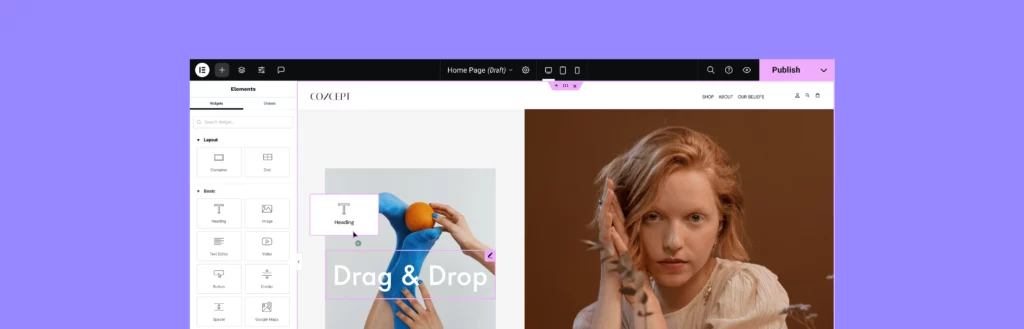
Elementor is the most popular drag-and-drop WordPress builder. It offers a true front-end visual editor, so you see changes as you make them. You start by adding sections and columns, then drag any of Elementor’s tons of widgets (text, image, slider, testimonial, tabs, etc.) into place. Each widget has its own settings panel. You can also insert templates. Elementor comes with a library of page and block templates, and then point and click to edit any element.
Elementor’s unique strengths include its huge ecosystem of third-party Elementor add-ons and integrations. You can find extra widget packs, theme kits, and marketing extensions for almost anything. It also includes a theme builder for headers, footers, and dynamic posts, and a WooCommerce builder. One downside is performance: Elementor can slow down sites more than the native editor, since it outputs extra code. Elementor’s code output is often described as less efficient, which can affect page speed.
Pros: Very user-friendly; rich widget/library; live front-end editing; huge community and third-party plugins.
Cons: Can produce bloated code (slower load times); some features require the Pro add-on; advanced layout controls can be limited.
Divi Builder – The Essential Site Building Framework For WordPress
Divi (by Elegant Themes) is a powerful visual builder that comes as both a theme and a plugin. It has a true WYSIWYG interface. You can click on the page and start editing text or moving modules right away. Divi includes hundreds of layout packs, pre-made page designs for niches, and a large collection of content modules (sliders, galleries, call-to-action, forms, etc.). You can drag these modules into sections and rows, then fine-tune the design with Divi’s settings. Divi also lets you save and export layouts to reuse on other sites.
A notable benefit is pricing: one Divi subscription ($89/year or $249 lifetime) gives access to everything Elegant Themes makes (Divi, Extra theme, Bloom, Monarch, and all plugins). Divi works with any WordPress theme, though using the Divi theme unlocks a bit more. It also has a theme builder for full site design. On the downside, some users find Divi’s interface a bit more complex to learn. And while Divi is very flexible, a few design options are locked and require custom CSS.
Pros: True visual editor (see edits live); 100s of layout packs and modules; lifetime pricing option; works with any theme.
Cons: Steeper learning curve. May need some advanced styles that require CSS; can also add extra code, impacting speed.
Beaver Builder – Build Your Website with Ease
Beaver Builder is known for its stability and ease of use. It features a straightforward front-end drag-and-drop interface. Simply open a page and drag modules (text, images, sliders, buttons, etc.) from a sidebar onto your layout. You see your changes immediately. Beaver includes 170+ page templates (landing page designs) to help you start fast. It’s very beginner-friendly and the learning curve is easy. Also, there’s an onboarding tour to guide new users.
A key advantage is compatibility. Beaver Builder works with Gutenberg and most WordPress themes easily. It also offers built-in WooCommerce support. The code output of Beaver Builder is generally clean, and it doesn’t add as much as some builders.
Pros: Intuitive front-end editor; 170+ pre-built templates; compatible with Gutenberg and WooCommerce; very stable.
Cons: Fewer design elements and templates compared to larger builders; premium-only (no free version); can feel simpler for advanced users.
Breakdance – Website Builder for WordPress
Breakdance is a newcomer that has quickly gained attention for its modern features. It’s a freemium plugin (core version free, Pro adds more) with a fast, user-friendly interface. Breakdance includes a design library of page templates and a global styles system. It offers over 120 built-in elements (headers, buttons, galleries, etc.) for building pages. It has deep WooCommerce integration with 20+ Woo modules to design every part of your online store, like product pages, cart, checkout, etc.
Breakdance is built with modern tech and is optimized for speed. It supports Full Site Editing, so it can act like a full theme builder if needed. A unique feature is “Client Mode”: when enabled, clients can only edit text and images, preventing them from breaking the design. For pricing, Breakdance offers a 60-day money-back guarantee. The Pro version is normally $349/year, but is currently on sale for $149/year.
Pros: Intuitive drag-and-drop editor; 120+ elements; strong WooCommerce support; global styles and dynamic data; free core version.
Cons: Relatively new (smaller community); Pro version needed for advanced features; can feel slightly less polished than very mature builders.
Bricks Builder – The Visual Site Builder That Grows With You
Bricks is a fast, lightweight visual site builder that functions as both a theme and a page builder. It offers full theme-building capabilities, meaning you can design your header, footer, archives, and more within one interface. Bricks is built with Vue.js and outputs code without any jQuery, making its code output very clean and performant. It supports dynamic data and conditions, so you can design template-driven sites where content updates automatically across pages.
Because Bricks is a theme builder, you must use the Bricks theme (or disable theme features). Its interface is developer-friendly, with lots of advanced controls. It includes global styling for colors/typography to keep the design consistent. Bricks comes with starter templates, though fewer than Elementor or Beaver. There’s no free version; pricing starts at $79/year for 1 site, $149/year for 3 sites, and $249/year for unlimited. A lifetime plan is available for $599 one-time (unlimited sites).
Pros: Extremely fast and lightweight; full site/theme builder; highly customizable with dynamic content; clean code output.
Cons: No free version; smaller template library; more complex UI (better for developers); new plugin (community still growing).
Oxygen Builder – Make Pixel Perfect Design in WordPress
Oxygen is a power-user’s page builder. It replaces your theme entirely and gives you full visual control over every part of your site. Oxygen’s interface can build entire websites from scratch. It outputs very clean, semantic HTML/CSS, which keeps sites lightweight. Oxygen integrates with Advanced Custom Fields and lets you set conditions and dynamic data, making it strong for complex projects. It also includes built-in popup creation and reusable global templates.
The catch is that Oxygen has a learning curve. It feels more like a design tool for coders than an entry-level builder. Non-developers may find the interface overwhelming. On the plus side, Oxygen has a one-time fee structure: $99 for up to 1 site, $169 for unlimited sites, with lifetime updates (no yearly renewals).
Pros: Total control over site design; ultra-clean code (fast performance); integrates with custom fields; lifetime pricing.
Cons: Steep learning curve; not beginner-friendly; lacks some native theme customization (it expects you to build everything in Oxygen).
Thrive Architect is a marketing-focused page builder by Thrive Themes. It emphasizes conversion elements and includes a built-in pop-up engine. Architect comes with over 100 professional page templates and hundreds of pre-built sections (calls-to-action, testimonials, pricing tables) to help you design quickly. It supports global colors and fonts for easy branding and works with any WordPress theme. Unique to Thrive is its inclusion of marketing features: countdown timers, lead-generation forms, and easy integration with email marketing tools.
Thrive Architect’s standout offer is its pricing: for $67 (or $97 with split-testing features), you get lifetime updates for the plugin. This is a great value. However, Thrive Architect currently does not include a theme builder, so you can only design pages (no custom headers/footers). The interface can be complex with nested settings panels, which might overwhelm beginners. Overall, Thrive Architect is ideal if you want a one-time purchase builder packed with templates and conversion tools.
Pros: 100+ page templates and section blocks; built-in popup and marketing elements; global style controls; lifetime updates for low cost.
Cons: No theme (header/footer) builder; interface has a learning curve; no official third-party add-on ecosystem.
Brizy – The Best No-Code Website Builder
Brizy is a beginner-friendly builder that offers both free and premium versions. The interface is clean and simple. After activating Brizy, you get 50+ free starter templates (covering business, ecommerce, wedding sites, and more) to start your design. You can drag elements onto the page and edit inline with minimal toolbars. Brizy’s inline editing and straightforward controls make it easy for beginners.
However, Brizy’s free version is relatively basic. Compared to Elementor or Divi, Brizy has fewer widgets and templates. The pro version adds more features (like sliders, global blocks, and theme builder), but Brizy still feels more limited. It’s a good free choice for simple sites, but you may outgrow it if you need advanced customization.
Pros: Very user-friendly interface; includes 50 starter templates for free; fast to learn.
Cons: Smaller template and feature set than competitors; many advanced options require the Pro upgrade.
Visual Composer (Website Builder)
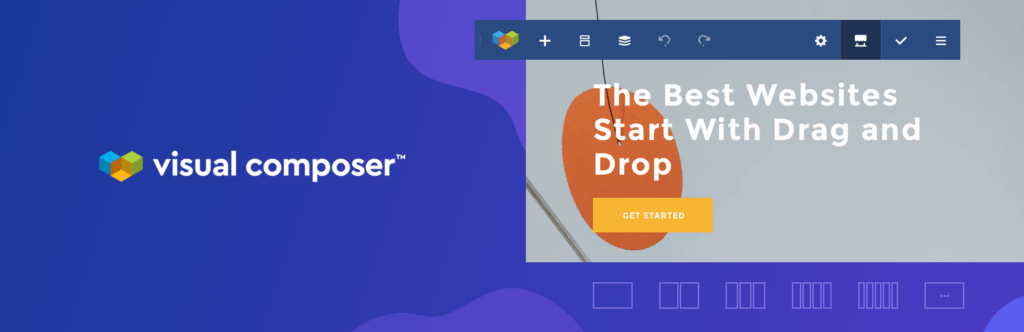
Visual Composer is a full-featured website builder (not to be confused with the older WPBakery builder). It allows editing of the entire page layout, including header, footer, menus, and sidebars, from the front-end. It comes with a drag-and-drop editor and a global style system. You can design layouts and menus within the builder, and it remembers your color choices for consistency.
Visual Composer works with any theme, so you can switch themes without losing layouts. Its front-end editor is powerful and aimed at professionals. But it does have a unique interface that some beginners find unfamiliar. Pricing starts around $59/year for basic features. In short, it’s a versatile all-in-one builder for those who want full control over every site element.
Pros: Full site editing (header, footer, sidebar, menu); front-end visual editing; consistent design with global colors.
Cons: Different interface from typical WordPress tools; slight learning curve; premium pricing.
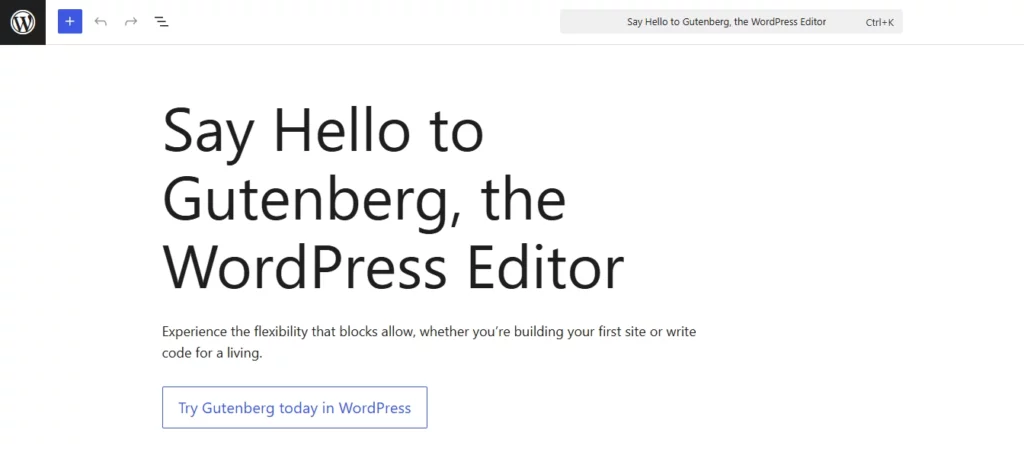
While not a plugin, the built-in Gutenberg block editor deserves mention. It’s WordPress’s free default page editor. Gutenberg uses blocks for every element (paragraph, image, button, columns, etc.). It’s getting more powerful with each WP release. You can now use block themes and the new Site Editor to adjust headers, footers, and templates in a block-based environment.
Gutenberg’s strength is that it’s lightweight and fully integrated (no plugin needed). It keeps your site fast and secure. But right now, it’s still limited in design flexibility compared to dedicated builders. Many page builder plugins (like Kadence Blocks or Spectra) simply add extra blocks to Gutenberg to bridge the gap. Full-featured builders still outshine Gutenberg in terms of ready-made layouts and widgets. Still, for basic pages, a solid block theme and some block add-ons might be all you need.
Which Page Builder Is Right for You?
Beginners and Blogs: Elementor or Brizy are easy to learn. They have intuitive UIs and gentle learning curves.
Small Business: Elementor or Divi offers a balance of ease and power. Beaver Builder is also solid and reliable.
Design Agencies: Divi, Oxygen, or Bricks are popular. Divi’s lifetime plan is cost-effective if you manage many sites, while Oxygen/Bricks deliver pixel-perfect, high-performance sites for clients.
Developers: Oxygen and Bricks stand out. They allow complete control and output very clean code for fast sites.
Marketers (Landing Pages): Thrive Architect and Breakdance focus on conversions, such as popups, templates for sales pages. SeedProd is top-notch for coming soon and launch pages.
E-Commerce: Breakdance (with 20+ Woo modules) or Beaver Builder (native Woo support) are solid for designing stores. Elementor and Divi also have Woo modules.
Tight Budget: Gutenberg (free) or Elementor Free are the best no-cost options. Brizy’s free version covers simple sites. For a low-cost premium, Thrive or Oxygen are the best deals.
Your ideal choice depends on your skill level, site goals, and budget. This guide covers the strengths and weaknesses of each tool so you can pick the best fit.
Conclusion
WordPress page builders have come a long way. There are many drag-and-drop page builders to suit every need, from complete novices to expert developers. Elementor and Divi remain safe bets for their rich features and ecosystems. Builders like Oxygen, Bricks, and Breakdance push the performance envelope for speed-conscious users. Beaver Builder offers rock-solid simplicity, while Thrive Architect focuses on marketers.
In the end, the “best” builder is the one that matches your project and comfort level. Consider factors like cost (annual vs lifetime), ease of use, template libraries, and performance. Don’t forget to test free trials or demos. With the right page builder in hand, you’ll confidently create stunning WordPress sites faster than ever.
FAQs
What is the best free WordPress page builder?
Many consider the Elementor free version or Gutenberg to be the top free options. Elementor’s free plan includes a drag-and-drop interface with dozens of widgets. Brizy also offers a free plan with 50+ starter templates and a user-friendly UI. Ultimately, “best” is subjective, but these are widely recommended for no-cost page building.
Does WordPress have a free website builder?
Yes. WordPress comes with the Gutenberg block editor by default. It’s a free, built-in page editor that uses content blocks for designing pages. For more visual control, there are free block-theme options and plugins like Spectra or Kadence Blocks that enhance Gutenberg. No extra plugin purchase is required to start building pages on WordPress.
Do I need a page builder for WordPress?
Not necessarily. It depends on your needs and skills. If you’re comfortable with HTML/CSS or your theme’s settings can handle your design, you might not need one. Page builders are most helpful if you want fast visual design without code. They’re especially useful for landing pages or complex layouts. For a basic blog or simple site, the built-in tools may suffice. Consider your comfort level and the type of site you’re creating.
Does WordPress have its own page builder?
WordPress itself does not have a dedicated page builder plugin, but its Gutenberg block editor functions as a basic visual editor. It lets you build pages with blocks (for text, images, galleries, columns, etc.) and is improving all the time. The WordPress team calls it the “block editor” rather than a page builder. Some theme authors have extended it to a full site editor in newer WordPress versions, but it’s still more limited than most third-party builders.
How much is a page builder for WordPress?
Prices vary widely. Many page builders have free core versions. Premium plugins often charge per site or per year. A single-site license usually costs between $50 and $100 per year. Some offer lifetime plans. Always check the latest pricing on the official sites.
Which page builder is fastest?
Performance depends on many factors, but lightweight builders tend to load faster. The native Gutenberg editor produces the least overhead since it’s part of core WordPress. Among plugins, Oxygen and Bricks Builder are often cited as very fast because they output minimal, clean code. These are developer tools and can make very lean sites. Elementor and Divi, while feature-rich, add more scripts and can be slower unless optimized. Always test speed on your hosting environment.
Can page builders slow down my WordPress site?
They can, especially if the builder adds extra JavaScript or CSS on the front-end. Choose builders known for clean code or use built-in performance features. Many popular builders also work on improving speed.
He writes about WordPress, SEO, automation, and SaaS with hands-on experience. He creates tutorials, comparisons, and practical content by understanding real use cases, search intent, and AI visibility.
WordPress has plenty of CRM plugins. Some are good at email marketing, some at handling quotes and invoicing, and some cover HR and inventory work. But if you look closely, most of them treat sales as an afterthought; they are not a sales CRM. Only a few of them have a proper lead-to-deal pipeline, product-based […]
Most customer service software reviews are written by people who think customer support is replying “Sorry for the inconvenience!” and calling it a day. I actually tested these platforms in the wild. Set them up. Broke them. Fixed them. Watched my team struggle with them. Stayed up way too late trying to figure out why […]
Are you a WordPress user who has experienced the frustration of a slow-loading website, or wondered why perfectly designed pages are not climbing search rankings as they should? Many website owners and developers struggle with optimizing their online presence for both speed and visibility. Elementor is a hugely popular WordPress page builder. It has drag-and-drop […]
Cookie Consent
We use cookies to improve your experience on our site. By using our site, you consent to cookies.
This website uses cookies
Websites store cookies to enhance functionality and personalise your experience. You can manage your preferences, but blocking some cookies may impact site performance and services.
Essential cookies enable basic functions and are necessary for the proper function of the website.
Name
Description
Duration
Cookie Preferences
This cookie is used to store the user's cookie consent preferences.
30 days
Cookie Preferences
This cookie is used to store the user's cookie consent preferences.
30 days
Cookie Preferences
This cookie is used to store the user's cookie consent preferences.
30 days
This cookie is set by Cloudflare to help manage bot traffic and protect the website from malicious activity. It does not collect or store any personal data and is used solely for security and performance purposes.
Used to monitor number of Google Analytics server requests
10 minutes
__utmb
Used to distinguish new sessions and visits. This cookie is set when the GA.js javascript library is loaded and there is no existing __utmb cookie. The cookie is updated every time data is sent to the Google Analytics server.
30 minutes after last activity
__utmc
Used only with old Urchin versions of Google Analytics and not with GA.js. Was used to distinguish between new sessions and visits at the end of a session.
End of session (browser)
__utmz
Contains information about the traffic source or campaign that directed user to the website. The cookie is set when the GA.js javascript is loaded and updated when data is sent to the Google Anaytics server
6 months after last activity
__utmv
Contains custom information set by the web developer via the _setCustomVar method in Google Analytics. This cookie is updated every time new data is sent to the Google Analytics server.
2 years after last activity
__utmx
Used to determine whether a user is included in an A / B or Multivariate test.
18 months
_ga
ID used to identify users
2 years
_gali
Used by Google Analytics to determine which links on a page are being clicked
30 seconds
_ga_
ID used to identify users
2 years
_gid
ID used to identify users for 24 hours after last activity
24 hours
_gat
Used to monitor number of Google Analytics server requests when using Google Tag Manager
1 minute
_gac_
Contains information related to marketing campaigns of the user. These are shared with Google AdWords / Google Ads when the Google Ads and Google Analytics accounts are linked together.
90 days
__utma
ID used to identify users and sessions
2 years after last activity
Clarity is a web analytics service that tracks and reports website traffic.