Building a WooCommerce store is exciting in the beginning.
You install WooCommerce, upload products, connect a payment gateway, and feel like the hard part is done. Then you may need something that the core WooCommerce doesn’t cover.
A customer abandons checkout because the process feels too plain. Another leaves because shipping costs look confusing. Someone asks for product customization you cannot offer yet. A buyer wants an invoice. Another wants to shop in a different currency. You try to keep up with social media, SEO, support, and order follow-up at the same time.
So, to fulfill the requirements, there are plenty of WooCommerce extensions.
A good extension does not just add another feature to your store. It solves a real business problem. It helps you sell better, support customers faster, and make the store easier to run. An e-commerce site could raise conversion by 35.26% through checkout improvements alone.
This guide covers some WooCommerce extensions that store owners often need most. I chose them based on the practical tasks an online store typically handles. Let’s explore with me!
Table of Contents
Quick Summary
Plugin
Use-Case / Category
Key Features
CartFlows
Sales Funnel / Checkout
Custom checkout flows; one-click upsells; order bumps
Bit Flows
Automation & AI Workflows
Visual workflow builder; connect 320+ apps; automate orders, coupons, content via AI
Product Import Export Plugin for WooCommerce
Managing WooCommerce Products/ E-commerce
Import/Export products data automatically for your WooCommerce store.
Coupon X
Discount Popups, Promo Codes Pop Ups for WooCommerce
Popups, timers, smart targeting, email capture, integrations, and no-code setup.
Variation Swatches
Product Options / UX
Replace dropdowns with color/image swatches
Bit Social
Social Media Marketing
Auto-share products to social networks; AI caption generator; scheduling
FlexStock
Inventory Management / Stock Sync (Google Sheets)
Two-way real-time sync with Google Sheets; bulk edit stock, price, SKU, and product details; scheduled auto sync
Flexible Shipping
Shipping / Logistics
Weight/price-based shipping rules
PDF Invoices & Packing Slips
Invoicing / Admin Tools
Auto-generate PDF invoices and packing slips
Yoast SEO for WooCommerce
SEO / Structured Data
Adds product schema (price, reviews, stock); WooCommerce-specific SEO analysis
WooCommerce Quantity Manager
WooCommerce Quantity Control
Set min/max, steps, defaults, dropdowns, and quantity rules
Checkout Field Editor
Checkout Customization
Add/edit/remove checkout fields
Bit Assist
Customer Support Widget
Floating chat button; custom contact forms and FAQ; 30+ channels
Product Options
Product Add-Ons / Customization
Add-on fields, conditional logic, and custom pricing per option
WPML Multilingual & Multicurrency
Localization
Supports 200+ currencies
What Makes a WooCommerce Extension Worth Adding?
You shouldn’t add every plugin to your store.
A useful WooCommerce extension should do at least one of these jobs well:
Increase conversions
Reduce manual work
Improve the customer experience
Fix an operational problem
Help the store grow into new markets
Save you time without creating new technical headaches
That is the lens I used for this list.
This is not about installing the most plugins. It is about choosing the right ones for the real pressure points inside a store.
How Many Extensions Should a WooCommerce Store Have?
There is no magic number.
A store does not become bad just because it has 20 plugins. It becomes risky when it has too many unnecessary plugins, outdated plugins, poorly coded plugins, or several plugins doing the same job.
Some WooCommerce stores run perfectly well with 10 to 15 plugins. Others may need more because they handle subscriptions, multilingual content, advanced shipping, wholesale pricing, or complex product options.
The better question is not how many plugins you should have.
The better question is whether each plugin earns its place.
A healthier way to think about plugin count
Keep plugins that solve a clear business problem
Avoid overlapping tools
Remove anything inactive or outdated
Choose extensions with a good support history
Test performance after adding new functionality
In most cases, plugin quality matters more than plugin count.
Here are two simple lines you can use:
Here are the WooCommerce extensions that solve some of the most common store problems. I’ll walk through what each one does, where it helps, and when it is worth using.
1. CartFlows for Better Checkout and Higher Order Value
Checkout is where many stores quietly lose money.
A product page can do everything right and still fail at the final step. So here I am recommending CartFlows. It replaces the standard WooCommerce checkout flow with something more intentional. You can build custom checkout pages, add order bumps, and create one-click upsells.
That makes a real difference when your goal is not only to get the sale, but to increase the value of each sale.
CartFlows is especially useful for stores running offers, bundles, product launches, or promotions. It gives store owners more control over how customers move from product interest to payment.
Key features:
Drag-and-drop funnel builder
pre-built checkout templates
one-click upsells and downsells
order bump offers
cart abandonment recovery (with Pro)
analytics for conversion optimization
When to use CartFlows
Use CartFlows when your store needs a better checkout experience. It is a strong fit for stores that want to do more than send customers through a plain default checkout page.
2. Bit Flows for WooCommerce Automation and AI Workflows
Many WooCommerce stores do not have a traffic problem first. They have a repeat-work problem.
Orders come in. Customer details need to be sent somewhere. Inventory updates need attention. Coupons need to be created. Content needs to be written. Notifications need to be sent. The more your store grows, the more those little jobs add to your task list.
Bit Flows helps with that by giving you a visual workflow builder. You can connect WooCommerce with CRMs, email platforms, spreadsheets, and AI tools without writing code. That makes it easier to move order data, automate follow-ups, and reduce the kind of manual work that steals time every week.
Its AI features also make it more than a data-moving tool. It can help generate product descriptions, coupon copy, or marketing content when needed.
Key features:
Visual drag-and-drop workflow editor
Connect 320+ apps (WooCommerce, CRM, email, docs)
AI Agent feature to build smart decision-making workflows
Auto-send order and customer data to apps
AI-driven content generation (product descriptions, blog posts, customer replies)
When to use Bit Flows
Use Bit Flows when your store relies on several tools, and you want them to work together. It is especially useful for stores that want automation, AI-powered tasks, or better data flow.
3. Product Import Export Plugin for WooCommerce
Managing product data manually becomes difficult as your WooCommerce store grows.
Product Import Export Plugin for WooCommerce by WebToffee helps store owners import, export, and update products in bulk using CSV, XML, Excel, TSV, and Google Sheets. It supports simple, variable, grouped, affiliate, custom, and subscription products, along with product images, categories, tags, attributes, custom fields, and reviews.
The product import export plugin is useful for store migration, supplier product sync, bulk catalog updates, and regular product backups. With advanced filtering, field mapping, and scheduled imports/exports through FTP or SFTP, it helps reduce manual work and keeps product data organized at scale.
Key features:
Bulk import and export WooCommerce products
Supports CSV, XML, Excel, TSV, and Google Sheets
Import/export products with images, variations, and custom fields
Advanced export filters and field mapping
Scheduled import/export via FTP/SFTP
Supports product reviews and bulk updates
When to use Product Import Export Plugin for WooCommerce
Use this plugin when you need to migrate products, update large catalogs, sync supplier data, or manage product backups without editing each product manually.
4. Coupon X – Discount Pop-ups
Many online stores run promotions but struggle to get shoppers to actually notice or use discount codes at the right moment. Offers are often buried in banners, emails, or only revealed at checkout, when it is already too late to influence purchasing decisions.
Coupon X solves this by bringing discounts directly into the shopping experience. It transforms static coupon codes into high-visibility interactive popups that appear while customers are browsing, helping brands present the right offer at the right time. With templates like lightboxes, slide-ins, and floating bars, you can launch engaging promotional popups in minutes without any coding required.
Built-in elements like countdown timers, visuals, and clear call-to-action buttons make offers more compelling, creating urgency and encouraging immediate action. The result is more engaged shoppers, higher conversions, and fewer abandoned carts from missed promotions.
Key features:
Popups (lightbox, slide-in, banner) for promotions
Use Coupon X when your promotions need more visibility and better timing to convert. It is especially effective for flash sales, abandoned cart recovery, email list growth, and seasonal campaigns where getting the offer seen quickly can make the difference between browsing and buying.
5. Variation Swatches for WooCommerce
Default WooCommerce variation dropdowns are functional, but they are not always customer-friendly.
If you sell products in different colors, sizes, materials, or finishes, visual selection usually works better than a plain dropdown. Customers understand options faster when they can see a color swatch, image, or button.
Variation Swatches turns ordinary variation selectors into a cleaner and more visual experience. This is a small change on paper, but on real product pages, it can reduce hesitation and make the purchase process feel more natural.
Key features:
Converts variation dropdowns into visual color swatches, images, or buttons
Works on mobile
Highlights unavailable choices
Quick setup without coding
When to use Variation Swatches
Use it when your products have visual or style-based variations. It works especially well for fashion, beauty, accessories, furniture, home decor, and any store where appearance influences the buying decision.
6. Bit Social for Product Promotion on Social Media
For many store owners, social media starts with energy and ends with inconsistency.
You need to post every week. Then orders, support, updates, and daily work take over. Before long, product promotion becomes irregular, and your best products stay stuck on the website. The products should reach people where they spend time.
Bit Social helps solve that.
It can automatically share WooCommerce products and other content to social networks like Facebook, Instagram, and Twitter. It also includes AI-powered caption support, which is useful when you need a post but do not want to start from a blank page every time.
Key features:
Auto-post WooCommerce products (or blog posts) to 13+ social networks
Scheduling and calendar view
Multiple posting option (custom message, link card, product images)
Use Bit Social when your store depends on social reach, but your posting process is inconsistent or time-consuming. It is useful for launches, recurring promotions, and keeping product visibility active.
7. FlexStock – WooCommerce Stock Sync with Google Sheets
Stock numbers fall out of sync the moment someone forgets to update the dashboard. A warehouse team counts inventory in a spreadsheet, the website still shows the old number, and a customer orders something that is already gone. Now you are issuing a refund instead of fulfilling a sale.
FlexStock turns Google Sheets into a live control panel for your store. It connects WooCommerce to a spreadsheet and keeps stock, price, SKU, and product details synced in both directions, so editing a row in the sheet updates the product on your site, and editing the product on your site updates the sheet. Unlike a one-time import export tool, the connection stays live, so the sheet is always a current mirror of your store, not a snapshot you have to re-upload.
This matters most when the person updating stock is not the person managing the website. A warehouse manager, supplier, or non-technical staff member can update numbers in a spreadsheet they already know, without touching the WordPress admin.
Key features:
Real-time two-way sync with WooCommerce and Google Sheets
Bulk edit products from spreadsheets
Manual Fetch and Sync buttons as a backup to auto sync
WCFM & Dokan multi-vendor support
Multi-store support coming soon
When to use FlexStock
Use FlexStock to manage large product catalogs, update stock and prices faster, or let marketplace vendors manage inventory independently.
8. Flexible Shipping: Weight Based Shipping Table Rate for WooCommerce
Shipping is one of the fastest ways to create friction in an online store.
A customer may love the product and still leave because the final shipping cost feels confusing or unfair. This usually happens when stores rely on simple flat-rate logic even though their product mix is more complex.
Table Rate Shipping Method gives you more control.
You can create shipping rules based on cart total, weight, item count, and other order conditions. That matters if your store sells bulky items, products with different weight ranges, or orders that should qualify for free shipping above a certain threshold.
Key features:
Unlimited table-rate rules
Shipping cost by cart total or weight
Min/max order conditions
Free shipping thresholds
WPML compatibility
When to use Table Rate Shipping Method
Use it when default WooCommerce shipping feels too limited for how your products are actually sold. It is a strong fit for stores with mixed-size products, shipping rules, or more detailed logistics needs.
9. PDF Invoices & Packing Slips for Cleaner Store Operations
Invoices are not glamorous, but they matter a lot in real store operations.
They help customers keep records, support business purchases, and create a more professional order experience.
PDF Invoices & Packing Slips help automate the process. It can attach invoices to order emails, generate packing slips, and make it easier to manage documents from the WordPress dashboard.
That may sound like a backend detail, but backend details often shape how professional a store feels.
Key features:
Auto-attach PDF invoice/packing slip to WooCommerce emails
Download or print from order admin
Customizable HTML/PDF templates
Bulk generation
Sequential invoice numbering
Multilingual support
When to use PDF Invoices & Packing Slips
Use it when your store needs proper documentation, cleaner billing, or easier fulfillment paperwork. It is useful once order volume grows.
10. Yoast SEO for WooCommerce for Better Search Visibility
A beautiful product page is not enough if people cannot find it.
That is why SEO is still a core part of running an online store. WooCommerce gives you the store system, but SEO plugins help products perform better in search.
Yoast SEO for WooCommerce adds store-specific improvements. It helps with product schema, search presentation, and product-level optimization. That can improve how your products appear in Google and how clearly they communicate important details like price, stock, and reviews.
Key features:
Adds rich structured data (schema) to products (price, availability, reviews)
Custom WooCommerce XML sitemap
SEO analysis for products (keywords, alt-text, etc.)
AI title/description writer for products and categories
When to use Yoast SEO for WooCommerce
Use it when organic traffic matters to your store and you want product pages to be more search-friendly.
11. WooCommerce Quantity Manager – Min Max Step Quantities Plugin
WooCommerce Quantity Manager – Min Max Step Quantities Plugin gives you full control over product quantities in your store. You can set minimum and maximum purchase limits, enforce fixed quantity steps or decimals, and replace the default quantity field with more structured options.
It helps increase average order value, improve inventory management, and ensure customers buy in a way that fits your store strategy.
Key features:
Set Min & Max Quantity Limits for Better Control
Control Quantity Intervals with Incremental Steps
Replace Quantity Input Field With a Dropdown
Set Default Quantities & Enforce Fixed Values
Clear Quantity Guidelines Right on the Product Page
Set Default Quantities on Page Load
Inform Customers with Quantity Info
When to use WooCommerce Quantity Manager
Use WooCommerce Quantity Manager to control product quantities for bulk, pack-based, or weight/decimal selling and to prevent small or unrestricted orders.
12. Checkout Field Editor for Better Checkout Customization
No two stores collect information in exactly the same way.
Some need gift messages. Some need business tax details. Some need delivery instructions. Others just want to remove fields that slow the buyer down.
Checkout Field Editor is valuable because it gives you that control without turning a simple checkout adjustment into a development project.
You can add, remove, reorder, or validate fields based on what your store actually needs. That helps keep checkout aligned with how you sell, not only how WooCommerce ships by default.
Key features:
Add/edit/remove checkout fields (20+ field types)
drag-and-drop field order
field validation and conditional display
custom labels and placeholders
works with multi-language checkout
When to use Checkout Field Editor
Use it when the default checkout fields feel either too limited or too bloated. It is a practical tool for stores that want more relevant customer information without creating a messy checkout experience.
13. Bit Assist for Faster Customer Support and Better Contact Options
A lot of customers do not need a full support system. They just need one quick answer before they buy.
That could be a question about shipping, returns, stock availability, order tracking, or payment. When that answer is hard to get, the customer often leaves quietly instead of asking again.
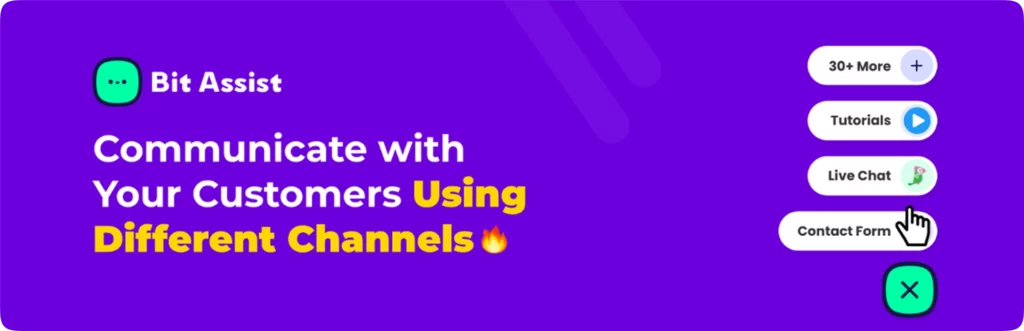
Bit Assist helps reduce that friction by adding a floating support widget with access to channels like WhatsApp, Messenger, Telegram, email, contact forms, FAQs, and live chat integrations.
This matters because support is not only a post-sale activity. It also influences conversions.
Key features:
Floating multi-channel widget
connect WhatsApp, Facebook Messenger, Telegram, Instagram, and more
integrated contact form and FAQ
WooCommerce order status check via quick widget
WooCommerce product search widget
trigger rules and attention-getting animations
Slack, Google Analytics integration
GDPR-compliant
When to use Bit Assist
Use it when your store gets repeated pre-sale questions or when customers need faster ways to contact you. It is especially helpful for stores that want to meet buyers on channels they already use.
14. WooCommerce Product Options by Barn2 for Product Customization
Standard variations are useful, but many stores need more than size and color.
Some need text engraving. Some need custom file uploads. Some need add-on services, gift wrapping, extra accessories, or pricing changes based on the buyer’s selections.
That is where Barn2 Product Options becomes important.
It adds flexible option fields directly to product pages, which makes it easier to sell personalized or configurable products without building a custom system from scratch. It also supports conditional logic and custom pricing, which gives it more depth than simpler add-on tools.
extra pricing per option (flat fee, percentage, per-character, or formula)
conditional logic (show/hide options based on choices)
live preview add-on
works with any theme and other plugins
When to use Barn2 Product Options
Use it when your products need real customization beyond normal WooCommerce variations. It is especially useful for personalized products, apparel, print businesses, gifts, custom orders, and upgrade-heavy product lines.
15. WPML Multilingual & Multicurrency for International Selling
Selling internationally changes what your store needs.
Language matters. Currency matters. Even trust changes when customers can browse and pay in a way that feels local to them. Without that support, many international visitors will leave before they ever reach checkout.
WPML Multilingual & Multicurrency helps make global selling more practical inside one WooCommerce setup. It supports multiple currencies and, with WPML, helps store owners translate product content, categories, checkout text, and more.
That can save you from managing separate stores for different markets.
Key features:
Show prices in 200+ currencies
front-end currency switcher (dropdown or list)
manual or automatic exchange rates
location-based currency switch
optionally set custom prices per currency
With WPML add-on: translate all store text, product info, and WooCommerce emails
When to use WPML Multilingual & Multicurrency
Use it when your customers come from different countries or you want to expand into international markets. It is a strong fit for stores that need one storefront to serve multiple regions more effectively.
Can Custom Code Replace WooCommerce Extensions?
This is one of the most common questions store owners ask, and the honest answer is yes, but not always wisely.
A developer can build many of these features with custom code. Checkout fields, shipping logic, invoices, product options, support tools, and even automation can be handled through custom development.
But that is only the first half of the story.
The real issue is maintenance.
Custom code needs testing, updates, debugging, documentation, and compatibility work whenever WooCommerce, WordPress, payment gateways, or connected plugins change. A feature that looks affordable to build once can become expensive to maintain over time.
That is why many store owners use trusted extensions for common needs and reserve custom code for very specific cases.
The practical reality
Custom code can work well for unusual or highly specific business requirements
Good plugins are usually faster to launch
Trusted extensions are often cheaper than custom development
Too much custom code can create long-term maintenance problems
Low-quality plugins can also create trouble, so plugin quality still matters
For most stores, the smart path is simple: use solid extensions for standard needs, then use custom code only where your workflow is too specific for existing tools.
How to Choose the Right WooCommerce Extensions for Your Store
A lot of store owners install plugins too early and too loosely.
They see a feature, get excited, install it, and only later realize it does not fit the actual workflow of the store. That creates clutter, conflicts, and decision fatigue.
A better approach is to work backward from real problems.
Start with these questions
Are customers dropping off at checkout?
Do shipping rules feel too basic for my products?
Am I spending too much time on repeat tasks?
Do customers ask the same support questions all the time?
Do my products need extra customization?
Does my store rely on search traffic?
Do I need to sell in different currencies or languages?
Am I promoting products consistently on social media?
Your answers will usually point to the right plugin category.
A simple decision guide
If checkout conversion is weak, look at CartFlows and Checkout Field Editor
If repeat tasks are eating time, look at Bit Flows
If social promotion is inconsistent, look at Bit Social
If product selection feels clunky, use Variation Swatches
If shipping logic is messy, use Table Rate Shipping Method
If you need invoice documents, use PDF Invoices & Packing Slips
If search visibility matters, use Yoast SEO for WooCommerce
If customers need easier contact options, use Bit Assist
If products need personalization, use Barn2 Product Options
If you sell internationally, use WPML Multilingual & Multicurrency
The goal is not to install more plugins.
The goal is to install the right plugins.
Common Mistakes to Avoid When Adding WooCommerce Extensions
Even good plugins can create problems when they are added carelessly.
Here are a few common mistakes store owners make:
Installing multiple plugins for the same job
This creates overlap, confusion, and sometimes broken functionality. One strong tool is usually better than three average ones.
Choosing features before identifying the problem
Do not install a plugin just because it sounds useful. Start with the store issue first.
Ignoring plugin compatibility
WooCommerce stores often rely on several moving parts. Check whether a new extension fits your theme, payment setup, shipping logic, and other key plugins.
Skipping staging tests
Test first when possible. A small checkout or payment issue can cost real sales.
Keeping plugins you no longer use
Inactive, outdated, or abandoned plugins create unnecessary risk. Review your plugin stack regularly.
Final Thoughts
A WooCommerce store rarely struggles because of one dramatic problem.
More often, it struggles because of small points of friction that pile up over time.
A checkout that feels ordinary. Shipping rules that do not match real orders. Product options that are too limited. Support that feels hard to reach. Marketing that depends too much on manual effort. International buyers who cannot shop comfortably. Search visibility that is weaker than it should be.
That is why the right WooCommerce extensions matter.
They do not just add features. They remove friction. You do not need everything at once.
Start with the bottleneck that is costing you the most. Fix that first. Then move to the next one.
That is usually how a WooCommerce store grows in the real world. Not through one giant overhaul, but through a series of smart improvements that make the store easier to buy from and easier to run.
FAQs
What are WooCommerce extensions?
WooCommerce extensions are plugins or add-ons that expand what a WooCommerce store can do. They help with checkout, shipping, SEO, product customization, automation, invoices, support, and multilingual selling.
Which WooCommerce extensions are most important for a new store?
Most new stores usually need help with checkout, shipping, SEO, and customer support first. As the store grows, automation, product options, and multilingual tools often become more important.
Can too many WooCommerce plugins hurt performance?
Yes, they can. But the issue is not only the number of plugins. Plugin quality, hosting, caching, and configuration all affect performance too.
Is custom coding better than using plugins?
Not always. Custom coding makes sense when your store has very specific requirements. For standard store needs, a reliable extension is usually the faster and more practical option.
Which WooCommerce extension helps increase sales?
CartFlows is useful for improving checkout flows and increasing average order value. Product option tools and better support widgets can also help reduce drop-off and improve conversions.
Which WooCommerce extension helps automate store tasks?
Bit Flows is designed for automation. It helps connect WooCommerce with other tools and reduce repeated manual tasks.
Do I really need an SEO plugin for WooCommerce?
If you want search traffic, yes. An SEO-focused extension helps improve product metadata, structured data, and how your pages appear in search results.
What is the best WooCommerce extension for product customization?
Barn2 Product Options is a strong option for stores that need add-ons, file uploads, extra pricing, and conditional logic for personalized products.
What is the best WooCommerce extension for multilingual selling?
WPML Multilingual & Multicurrency is useful for stores that want to support different languages and currencies in one setup.
Will these extensions work with any WooCommerce theme?
Most of them are designed to be theme-independent, but it is always smart to test new plugins on a staging site before using them on a live store.
How do I know which plugin my store needs first?
Start with the problem that is costing the most money or creating the most friction. That may be checkout, support, shipping, product customization, or manual work. Fix that first.
He writes about WordPress, SEO, automation, and SaaS with hands-on experience. He creates tutorials, comparisons, and practical content by understanding real use cases, search intent, and AI visibility.
Choosing a WordPress LMS plugin is not as easy as it looks. Many plugins promise course building, quizzes, payments, and student management. But once you start comparing them, the differences become clear very fast. Some are easier to use. Some give you more control. Some are better for selling courses. Others work better for memberships […]
One of the easiest ways to increase average order value and boost sales in your WooCommerce store is by offering product bundles with discounts. Now, there are several product bundle plugins, but we picked the ones that have proven to grow a WooCommerce store’s revenue. Here’s the quick look at these tools: Quick overview of […]
WooCommerce variations handle basic options like size or color, but they fall short for true customization. Product addon plugins fill that gap by letting customers add text, upload files, choose extras, or select delivery dates. This matters because customers want personalization. According to Deloitte, over 50% of consumers are interested in buying customized products, and […]
Cookie Consent
We use cookies to improve your experience on our site. By using our site, you consent to cookies.
This website uses cookies
Websites store cookies to enhance functionality and personalise your experience. You can manage your preferences, but blocking some cookies may impact site performance and services.
Essential cookies enable basic functions and are necessary for the proper function of the website.
Name
Description
Duration
Cookie Preferences
This cookie is used to store the user's cookie consent preferences.
30 days
Cookie Preferences
This cookie is used to store the user's cookie consent preferences.
30 days
Cookie Preferences
This cookie is used to store the user's cookie consent preferences.
30 days
This cookie is set by Cloudflare to help manage bot traffic and protect the website from malicious activity. It does not collect or store any personal data and is used solely for security and performance purposes.
Contains information about the traffic source or campaign that directed user to the website. The cookie is set when the GA.js javascript is loaded and updated when data is sent to the Google Anaytics server
6 months after last activity
__utmv
Contains custom information set by the web developer via the _setCustomVar method in Google Analytics. This cookie is updated every time new data is sent to the Google Analytics server.
2 years after last activity
__utmx
Used to determine whether a user is included in an A / B or Multivariate test.
18 months
_ga
ID used to identify users
2 years
_gali
Used by Google Analytics to determine which links on a page are being clicked
30 seconds
_ga_
ID used to identify users
2 years
_gid
ID used to identify users for 24 hours after last activity
24 hours
_gat
Used to monitor number of Google Analytics server requests when using Google Tag Manager
1 minute
__utmt
Used to monitor number of Google Analytics server requests
10 minutes
__utmb
Used to distinguish new sessions and visits. This cookie is set when the GA.js javascript library is loaded and there is no existing __utmb cookie. The cookie is updated every time data is sent to the Google Analytics server.
30 minutes after last activity
__utmc
Used only with old Urchin versions of Google Analytics and not with GA.js. Was used to distinguish between new sessions and visits at the end of a session.
End of session (browser)
_gac_
Contains information related to marketing campaigns of the user. These are shared with Google AdWords / Google Ads when the Google Ads and Google Analytics accounts are linked together.
90 days
__utma
ID used to identify users and sessions
2 years after last activity
Clarity is a web analytics service that tracks and reports website traffic.