Imagine spending your days clicking and copy-pasting between apps, then discovering a plugin that handles all that work for you. WordPress automation plugins promise to connect your site, forms, and stores to hundreds of apps, triggering actions instantly when events occur.
This saves bloggers, marketers, and developers countless hours. But with many tools on the market, which is best for the budget? In this guide, we compare Bit Integrations, Bit Flows, AutomatorWP, Uncanny Automator, Flowmattic, and WP Fusion, focusing on real pricing and features.
We’ll see which one wins on affordability without skimping on power. Whether you’re a WordPress user or agency owner, read on to find the most cost‑effective automation solution for your needs.
Table of Contents
Why Choose a WordPress Automation Plugin?
Automations reduce repetitive tasks and human error. They can turn a simple event in WordPress, like a new sale or form submission, into multiple actions: sending emails, adding CRM tags, or updating spreadsheets. This amplifies efficiency, saving 10–15+ hours per week, often wasted on manual processes.
Today’s users expect speed and personalization; automations handle things like abandoned cart reminders or subscriber follow-ups instantly. In short, a good automation plugin lets you focus on growing your site or business, while the plugin handles the routine work.
Integration support: How many plugins and external apps can it connect to?
API/Webhook support: Does this plugin allow you to connect external platforms with API/Webhooks?
Workflow complexity: Does it allow multi-step flows with delays, conditions, and loops?
Usage limits: Are there limits on the number of tasks or data transfers per month? (Unlimited usage is ideal.)
Ease of use: A drag‑and‑drop or visual editor makes setup quick for non‑techies.
Pricing model: Compare annual vs. lifetime cost, and check if free or limited plans exist.
Affordability isn’t just about low price tags; consider long-term value. A plugin that costs $100 but eliminates the need for several paid add-ons can actually save money.
Most Affordable WordPress Automation Plugins
In the sections below, we give a quick comparison table of the top contenders, then dive into each one’s strengths, features, and pricing, honestly highlighting where Bit Integrations and Bit Flows stand out as budget-friendly champions.
Plugin
Starting Price
Lifetime Plan?
Key Focus/Integration
Bit Integrations
$39/year (1 site)
Yes, $99 (Lifetime support)
Popular no-code builder; 328+ plugins/apps.
Bit Flows
$119/year (1 site)
Yes, $179 (Lifetime support)
Zapier-like multi-step workflows; AI integration; 205+ integrations.
FlowMattic
$129/year (1 site)
Yes, $299 one-time
Unlimited steps and tasks; 367+ integrations.
AutomatorWP
$149/year (2 sites)
No (multi-year 3yr/$359)
200+ Integrations
Uncanny Automator
$149/year (1 site)
No (annual only)
210+ plugins/apps; unlimited recipes.
WP Fusion
$297 (1 site)
Yes, $999 (3 years support)
Deep CRM integration (60+ CRMs); tag-based personalization.
Each plugin excels in different ways. The table above highlights starting prices and whether a lifetime option exists and which can save money over time.
For example, Bit Integrations’ 1-site plan costs only $39/year or $99 lifetime, whereas competitors may charge over $100/year for similar capabilities. In the sections that follow, we explore each plugin’s key features and pricing in turn.
1️⃣Bit Integrations: Most Affordable for one-to-one Automation
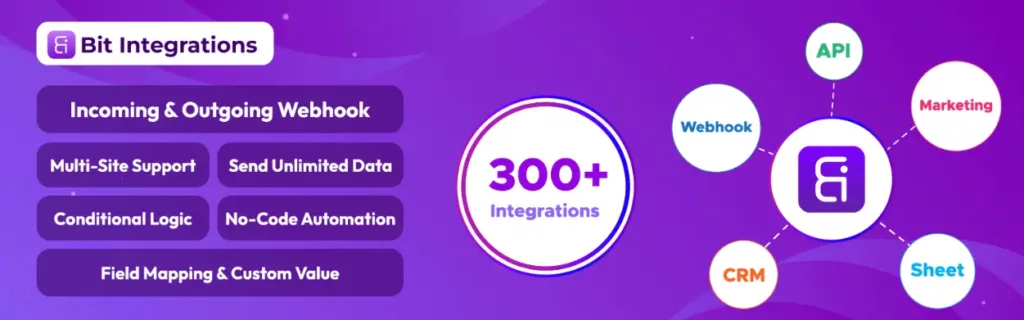
Bit Integrations lets you map and automate unlimited WordPress data flows with a simple no-code builder. Bit Integrations is a no-code WordPress plugin that sends unlimited data from WooCommerce, forms, page builders, and more to 307+ platforms such as CRMs, Google Sheets, Mailchimp, Zapier, etc.
It has no task limits; you can run as many workflows as you need. Its visual interface makes it easy to connect triggers to actions.
Key Features of Bit Integrations:
Hundreds of Integrations (307+): Send data to 307+ popular apps with no limits.
No-Code Workflows: Create automation flows without any coding or developers.
Conditional Logic: Add ‘if/else’ rules so actions only run when certain conditions are met.
Custom Triggers/Actions: Grab data from plugins that lack built-in hooks by defining your own actions.
Webhook Support: Both incoming and outgoing webhooks are supported for connecting custom apps.
Multi-Site Support: Automate tasks across WordPress Multisite installations.
Field Mapping: Drag-and-drop map data fields between platforms, including custom values.
Custom PHP Actions: Run your own PHP code in workflows for ultimate flexibility.
Bit Integrations Pricing (Annual & Lifetime)
Plan
Annual
Lifetime (one-time)
Sites
Starter
$39/year
$99
1
Agency (Unlimited)
$90/year
$332
Unlimited
The Starter plan (1 site) is just $39/year with all features included. For $99 one-time, you get lifetime updates on one site. This is a great deal if you plan to use it long-term. The Agency plan unlocks unlimited sites $89/year or $332 lifetime.
All plans include the same feature set: no-code automation, conditional logic, webhooks, and lifetime support. In summary, Bit Integrations packs a robust automation toolkit at very affordable prices, especially for single-site users.
2️⃣Bit Flows: Most Affordable Multi-step AI Workflow Automation Plugin
If you want more than simple one-to-one automations, Bit Flows is built for you. It gives you Zapier-style multi-step workflows right inside WordPress, without limits and without monthly bills.
You can connect forms, stores, CRM tools, spreadsheets, and AI models. Then you can automate complex processes with loops, branches, schedules, and conditional rules. All visually. All without code.
Bit Flows also brings AI into your workflow. You can generate content, analyze messages, summarize submissions, or enhance form data automatically using tools like OpenAI, Gemini, Claude, DeepSeek, or Perplexity. This is where Bit Flows stands out compared to other budget plugins.
Key Features of Bit Flows:
Multi-Step Workflows: Build workflows with Router, Repeater, and Iterator steps to create branches and loops.
No Limits: Offers unlimited workflows and task executions, so there’s no meter running on usage.
AI Integration: Includes AI/ChatGPT integrations and an AI-powered workflow generator to automatically create flows.
Instant & Scheduled Actions: Add delays and schedules so tasks run after set times or on specific dates.
Webhook & JSON: Full support for sending/receiving webhook data and parsing JSON in flows.
Advanced Conditional Logic: Use filters and conditions to run actions only when criteria match.
Custom Apps: Easily create your own integration if a platform isn’t already supported.
Unlimited Support: 24/7 customer support with no limits (every plan).
Pricing: Every plan includes all features, differing only by how many sites you can use it on.
Bit Flows Pricing (Annual & Lifetime)
Plan
Annual Price
Lifetime Price
Sites
Starter
$119/year
$179 one-time
1
Plus
$149/year
$299 one-time
5
Developer
$199/year
$419 one-time
50
Agency
$299/year
$544 one-time
100
Even the Starter tier includes the full automation features of Bit Flows. At $119/year or $179 lifetime, it’s very affordable.
For comparison, a similar Zapier plan costs far more for far fewer tasks. Bit Flows is particularly strong for users who want deep workflows without ongoing fees. The no-per-task charges make the lifetime plan especially money-saving in the long run.
AutomatorWP is an open-source WordPress automation plugin (with many premium add-ons). The core plugin is free on WordPress.org, and you pay only for the Pro that unlocks premium triggers/actions.
AutomatorWP’s strength is its breadth of integrations (200+ WordPress plugins) and its free base. You can start building simple automations right away, triggers like user logs in, form submitted, without cost.
Key Features of AutomatorWP:
Unlimited Triggers & Actions: Create automations with as many triggers and actions as needed.
Logged-in or Anonymous: Automate for both logged-in users and site visitors.
Scheduled/Rerunnable Automations: Run tasks on a schedule or manually on sets of users.
Filters & Conditions: Narrow down when actions run using filter rules.
Sequential Triggers: Require a user to complete events in a certain order to trigger an action.
Developer Hooks: Very extensible, rich hooks and tags let developers customize every step.
200+ Integrations: Works with 200+ plugins (WooCommerce, LearnDash, H5P, Elementor, BuddyPress, WPForms, Mailchimp, etc.).
Pricing: The free core plugin handles basic automation. Pro plans are sold as annual passes covering all add-ons.
AutomatorWP Pricing
Pass (1 year)
Price
Sites
Personal (2 sites)
$149/year
2
Professional (10 sites)
$249/year
10
All Access (unlimited)
$499/year
Unlimited
There are no lifetime licenses. For many users, the free version might suffice to try out automations.
The starter cost for powerful free+pro integration is low, making AutomatorWP a cost-effective entry point if you don’t need the most advanced AI features.
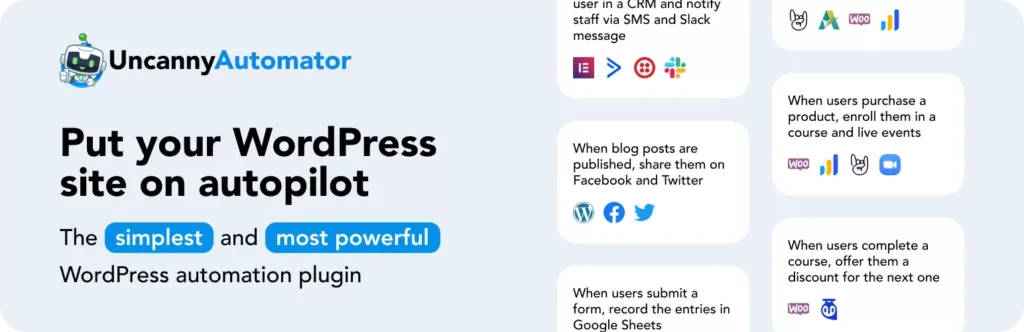
Uncanny Automator is one of the most popular no-code WordPress automation tools. It boasts 210+ built-in plugins and app integrations, plus 1,000+ triggers/actions with its Pro plans.
The interface centers around recipes built with a visual drag-and-drop builder, so it’s very user-friendly for beginners. Many agencies like it because it’s battle-tested and well-supported.
Key Features of UncannyAutomator:
210+ Integrations: Connect to top WordPress plugins and external apps (WooCommerce, MemberPress, LearnDash, Slack, Zoom, etc.).
Visual Recipe Builder: Create automations with a straightforward no-code interface.
Unlimited Recipes: Build as many automations as you want (no cap on workflows).
Schedule & Delays: Support for scheduling actions (e.g. send reminder emails after 7 days).
Delays & Loops: Delay actions by set times; loop actions across user lists.
Premium Webhooks: Very robust webhook support (incoming/outgoing, with headers and JSON).
Developer Friendly: Run custom PHP or any WP hook in a recipe for advanced customization.
Pricing: There is a free (Lite) version, plus annual premium plans.
Uncanny Automator Pricing
Plan
Price (per year)
Sites
Basic
$149/year
1
Plus
$199/year
10
Elite
$299/year
50
The free version lets you experiment with over 350 triggers/actions. The Basic plan ($149/yr for one site) unlocks 1,000+ triggers and complex workflows. For small site owners, Basic may be enough.
Agencies often choose Plus or Elite to cover multiple sites. No lifetime option is offered, but note that Uncanny Automator is very robust if you need a trusted enterprise-grade solution.
5️⃣FlowMattic: Affordable Automation with Unlimited Workflows
FlowMattic is a newer automation plugin that markets itself as an AI-powered “automation server” for WordPress. It offers extremely deep capabilities: unlimited multi-step workflows, custom database tables, and integration with Claude or ChatGPT via its MCP server.
For most users, its key selling points are unlimited tasks/executions and an integration list. If you need advanced AI or custom code in your flows, FlowMattic shines.
Key Features of FlowMattic:
Unlimited Workflows & Tasks: No caps on how many workflows you create or tasks run.
367+ Integrations: Connect with hundreds of apps (Slack, Google Sheets, WooCommerce, etc.) and only load the needed ones.
AI + MCP Server: Integrate large language models (ChatGPT, Claude) directly into workflows for AI-powered automation.
Multi-Step & Complex Logic: Each workflow can have unlimited steps, custom PHP, conditions, and custom DB tables.
Advanced Scheduling: Trigger workflows by schedules or specific time intervals.
Visual Flow Builder: Drag-and-drop interface for building automations without coding.
Pricing: All plans include unlimited flows and tasks. There are both annual and lifetime options.
Flowmattic Pricing (Annual & Lifetime)
Plan
Annual (billed/yr)
Lifetime (one-time)
Sites
Personal
$129/yr (1 site)
$299 (1 site)
1
Developer
$189/yr (5 sites)
$599 (15 sites)
5 (Dev), 15 (Lifetime)
Business
$349/yr (25 sites)
$749 (25 sites)
25
Ultimate
$449/yr (100 sites)
$1249 (100 sites)
100
FlowMattic’s lifetime deals (available through the end of 2025) are especially attractive for agencies. For example, the Personal Lifetime is just $299 one-time, vs. paying $129/year indefinitely.
Over 5–10 years, that is a huge saving. While FlowMattic is priced higher than Bit’s plugins, it offers enterprise-grade automation and AI that justify the investment if you need those capabilities.
6️⃣WP Fusion: Affordable CRM integrations for WordPress
WP Fusion is a bit different – it’s focused on marketing automation via CRM integration rather than general task automation. It lets you sync WordPress users, posts, and form data with your CRM or email tool.
Essentially, it fuses WordPress and marketing systems by using tags and custom fields. If your primary goal is to integrate WordPress with CRMs like ActiveCampaign, HubSpot, Salesforce, etc., WP Fusion is a proven choice.
Key Features:
60+ CRM Integrations: Works with leading CRMs (e.g. Salesforce, Drip, Ontraport, etc.).
Bi-Directional Sync: Keeps users/tags in sync both ways between WordPress and CRM, without coding.
150+ Plugin Integrations: Connect WooCommerce, Gravity Forms, LearnDash, and other plugins to your CRM.
Unlimited Tagging: Automatically add or remove tags and update custom fields on users.
Webhooks & API: Supports custom webhooks and direct API calls for extra flexibility.
Memberships & eCommerce: Built-in support for e-commerce events and membership tags.
Pricing: WP Fusion’s basic free version is quite limited (no forms, no shortcodes). Its paid plans are higher-end:
WP Fusion Pricing
Plan
Price
Sites
Personal
$297 (lifetime)*
1 + subdomains
Professional
$647 (lifetime)*
Unlimited sites
*These prices are one-time payments for lifetime licenses (no annual renewal). WP Fusion does offer an annual pricing option and even smaller lifetime bundles (e.g. 1-site lifetime $999, 3-site lifetime $1999), but the plans above cover the basics.
Note that WP Fusion is quite expensive compared to other plugins (nearly $300–$600+). Its value is strongest if you rely heavily on CRM marketing; otherwise, many general automation tasks can be handled by the cheaper plugins above.
Why Lifetime Plans Often Save You Money
Buying a lifetime license can be a game-changer for your budget. Say you need an automation plugin for 5 years. Paying $40/year amounts to $200, whereas a $99 lifetime license is 50% cheaper overall. Let’s do a quick example with Bit Integrations Starter:
Annual Starter: $39/year ➜ 5-year total = $195.
Lifetime Starter: $99 one-time ➜ Total = $99.
That’s $96 saved over 5 years. For multiple sites, the savings multiply. Even if you only compare 3-year spans, the lifetime often pays for itself in less than the second renewal. The same logic applies to FlowMattic (e.g. $129/yr vs $299 lifetime) and others.
In general, if you plan to use the plugin long-term, opting for a lifetime deal means no more annual fees. In fact, many lifetime offers come bundled with extra perks (like 3+ years of support included). When budgeting, factor in how many years you’ll use the tool – lifetime plans nearly always win out by year 3 or 4.
What to Consider Before Buying a WordPress Automation Plugin
Before you click Add to Cart, keep these points in mind:
Required Integrations: Make a list of apps/plugins you need. Ensure your chosen tool supports them (and check for any needed pro add-ons).
Task Volume: If you have huge data flows (thousands of leads or orders per month), verify if the plugin throttles usage.
Technical Skill: Some plugins offer advanced features that may have a learning curve. If you need simplicity, Bit Integrations is very user-friendly for a one-to-one connection.
Scalability: Consider how your site will grow. If you run multiple sites or a network, an unlimited sites plan might be worth it from the start.
Support and Updates: Good support can save time. Check if the vendor offers priority support, and how often they update integrations, especially important as your other plugins evolve.
Trial or Free Version: Many of these plugins offer a free demo or lite version. Use that trial period to test the interface and features risk-free.
Balancing features against budget is key. For example, AutomatorWP and the free versions of Uncanny or FlowMattic let you experiment without spending, while Bit Integrations and Bit Flows give you full power for a modest fee. Think through your actual automation needs and how long you’ll use the plugin; this will guide whether you choose an annual or a one-time payment.
Conclusion
In the race for affordable WordPress automation, Bit Integrations and Bit Flows emerge as clear leaders. Each packs a rich feature set, unlimited tasks, wide integrations, and no-code builders, into low entry prices and generous lifetime options.
The other plugins reviewed have their strengths: AutomatorWP for free flexibility, Uncanny for enterprise robustness, FlowMattic for AI-driven power, and WP Fusion for CRM depth, but they come at higher costs. Ultimately, the most affordable automation plugin depends on your needs.
Choose the plugin that matches your workflow complexity. For general affordable automation, try Bit Integrations or Bit Flows first. Use their free trials, compare the features you need, and remember to consider lifetime deals for long-term savings.
FAQs
What is the best affordable WordPress automation plugin?
Bit Integrations and Bit Flows offer powerful features at budget-friendly prices, making them the top choices for cost-effective automation.
Are lifetime plans worth it for WordPress automation plugins?
Lifetime plans can save you money in the long run, especially if you plan to use the plugin for several years.
Do these plugins require coding skills?
No, most of the plugins like Bit Integrations and Bit Flows are no-code solutions, making automation easy for non-developers.
How do WordPress automation plugins save time?
Automation plugins eliminate repetitive tasks, like form submissions and data syncing, allowing you to focus on growing your site.
Are these automation plugins compatible with popular WordPress tools?
Yes, these plugins integrate with over 200+ apps and WordPress tools like WooCommerce, Mailchimp, and Zapier.
What’s the difference between annual and lifetime pricing?
Annual plans charge yearly, while lifetime plans offer a one-time payment for long-term savings, making them a better value over time.
Can I get a free trial for these plugins?
Many plugins, like Bit Integrations, offer free trials, so you can test the features before committing to a paid plan.
Have you ever visited a website, tried to use a plugin or service, and felt completely stuck because there was no documentation page on the site? This problem is not only frustrating for users, but it slowly becomes a nightmare for site owners, too. Let me be honest with you, I’ve been in this situation […]
Imagine building your dream home. You could visit multiple stores, buying hammers from one shop, nails from another, and paint from a third. Or you could walk into one expert home improvement store that gives you everything you need at a fraction of the cost. That’s exactly what WordPress plugin bundles offer, complete toolkits that […]
Building a website often starts with something simple. You just need a contact form. But then you start looking for an affordable form builder plugin, and the choices are overwhelming. You head to the WordPress plugin directory or Google and see dozens of options, each promising to be the best. For many website owners, this […]
Cookie Consent
We use cookies to improve your experience on our site. By using our site, you consent to cookies.
This website uses cookies
Websites store cookies to enhance functionality and personalise your experience. You can manage your preferences, but blocking some cookies may impact site performance and services.
Essential cookies enable basic functions and are necessary for the proper function of the website.
Name
Description
Duration
Cookie Preferences
This cookie is used to store the user's cookie consent preferences.
30 days
This cookie is set by Cloudflare to help manage bot traffic and protect the website from malicious activity. It does not collect or store any personal data and is used solely for security and performance purposes.
Used by Google Analytics to determine which links on a page are being clicked
30 seconds
_ga_
ID used to identify users
2 years
_gid
ID used to identify users for 24 hours after last activity
24 hours
_gat
Used to monitor number of Google Analytics server requests when using Google Tag Manager
1 minute
__utmt
Used to monitor number of Google Analytics server requests
10 minutes
__utmb
Used to distinguish new sessions and visits. This cookie is set when the GA.js javascript library is loaded and there is no existing __utmb cookie. The cookie is updated every time data is sent to the Google Analytics server.
30 minutes after last activity
__utmc
Used only with old Urchin versions of Google Analytics and not with GA.js. Was used to distinguish between new sessions and visits at the end of a session.
End of session (browser)
__utmz
Contains information about the traffic source or campaign that directed user to the website. The cookie is set when the GA.js javascript is loaded and updated when data is sent to the Google Anaytics server
6 months after last activity
__utmv
Contains custom information set by the web developer via the _setCustomVar method in Google Analytics. This cookie is updated every time new data is sent to the Google Analytics server.
2 years after last activity
__utmx
Used to determine whether a user is included in an A / B or Multivariate test.
18 months
_ga
ID used to identify users
2 years
_gac_
Contains information related to marketing campaigns of the user. These are shared with Google AdWords / Google Ads when the Google Ads and Google Analytics accounts are linked together.
90 days
__utma
ID used to identify users and sessions
2 years after last activity
Clarity is a web analytics service that tracks and reports website traffic.