If you use WordPress, you probably know about WPForms or have already used the plugin. It’s one of the most popular tools for building forms and is trusted by many users.
However, because of the pricing structure, integrations, and feature limitations of WPForms, it cannot be the ideal choice for every user. There are multiple alternatives in the market with low costs, rich functionality, and great user experiences that can meet your needs and fulfill your requirements for form building.
Whether you need to create a simple contact form with advanced automation or a complex form with multi-step functionality, repeater fields, payment fields, and more, these alternatives have you covered from every angle.
If you are looking to upgrade WPForms just hold on! I will suggest some best alternatives to WPForms that will give you more features with a better user experience at a very affordable price.
Table of Contents
WPForms Limitations and Why You Need an Alternative
WPForms have some good features, helpful integrations, and pre-designed templates. It also supports payment processing, file uploads, multi-step forms, and conditional logic to build more dynamic forms.
In recent years, new plugins have entered the market, offering more features and greater flexibility than traditional options. Mostly, website owners seek affordable pricing plans that have all essentials form features. Users looking for an easier user interface, better connections with other platforms, or more options for customization that might not be available in the WPForms basic package.
WordPress users often say that WPForms locks key features behind its paid versions. While the free version works, it doesn’t include some features that other plugins offer for free. Like you can’t manage and check form entries in the free version of WPForms; this feature is only available with the pro plan. Features such as password-protected forms, CAPTCHA, user registration, guest post submission, conversational forms, and advanced templates are only available in the higher-tier plans of WPForms.
So if you find WPForms to be a bit on the expensive side for your pocket or would like some extra options with more features, then you might want to look at some of the good alternatives that exist.
Best Alternatives to WPForms for Your WordPress Site
Choosing the best form builder among the tons of options out there can be difficult. To help you find a good alternative to WPForms, we have prepared a list of some of the most efficient plugins available in the market:
Conversational forms, conditional logic, AI form creation, multi-step forms, payments, quiz, digital signature, advanced integrations, repeater field.
Starting from $39/year for a single site.
Bit Form – Most Advanced WordPress Form Builder
Let’s introduce Bit Form, One of the best WordPress form builders ever. You can build any type of form with advanced features like multi-step, repeater field, signature field, draft button, form abandonment, and email notification to multiple recipients with pdf. The best part is, that Bit Form has 50+ useful integrations that will take your WordPress experience to the next level!
If you are looking for a good WPForms alternative with rich features and a low price, Bit Form is a great option. In the free version, Bit Form has more advanced features compared to WPForms. Here are some features of Bit Form that you will love!
Features of Bit Form:
50+ Useful & Advanced Form Fields: Bit Form has 40+ most useful, unique, and advanced form fields including signature fields, payment fields, draft buttons, repeater fields, GDPR fields, rating fields, advance file upload, and more. With these fields, you can build any form as per your needs! Besides Basic Fields Bit Form Has the following Unique Fields:
Repeater Field
Signature Field
Rating Field
Image Select Field
CloudFlare Turnstile
reCAPTCHA v2
URL Field
Color Picker Field
GDPR Agreement
Decision Box Field
Username Field
Password Field
Image Field
Divider Field
HTML Field
Section Field
Country Field
Currency Field
User-Friendly Interface with Modern Look: Bit Form gives you a better way to build forms than other plugins! You will love its user-friendly design and smooth process. If you get tired of the usual form-builder styles, try Bit Form and discover a whole new, exciting way to create forms.
Advanced Form Style & Customization: When it comes to form styling, your mind is thinking about some old-style design with a common pattern, right? Forget those! Bit Form’s advanced form styling allows you to style each of the elements of your form. Also, Bit Form offers three themes and has the option to style individually and globally.
Conditional Logic: You can’t imagine what you can do with Bit Form’s conditional logic! It works like magic. You can show or hide fields based on user responses and even configure integrations, notifications, and more with this powerful feature.
Integrations with Other Tools: You don’t need any extra plugins or extra fees to use Bit Form because it integrates with popular tools like MailChimp, Zapier, WooCommerce, and Google Sheets. Bit Form has 50+ integrations and offers webhooks so that you can add more integrations.
Advance Calculation: Bit Form lets you easily create forms that do the math for you! Just set some conditions, and it can calculate things like Total Price based on what you input. Plus, it updates in real time as you enter your data. You can easily create any type of calculator form like a mortgage calculator, BMI calculator, loan calculator form, and more.
Payment Integrations: You can accept payment by using Bit Form payment integration. Bit Form is compatible with PayPal, Stripe, Razorpay, and Molle. You just need to follow some simple steps and you can take payment with your form. Also, you can take subscription payments with Bit Form.
Instant Email Notification: Bit Form has advanced email notification functionality. You can send emails to multiple recipients based on conditions. Also, you can add a pdf template to the email notifications.
Easy Entry Management: You can easily manage form submissions from your Bit Form dashboard. Also, you can export form submissions in multiple file types like CSV, Xlsx, Text, HTML, and more. It also shows extra details like IP address, browser info, refer URL, and submission time. Bit Form allows you to see form submission analytics reports which help users in data analytics.
Spam Protection: You can prevent spam by using Bit Form Recaptcha and CloudFlare Turnstile features. These will prevent bot submissions and keep your form secure.
Affordability: Bit Form offers great value for money. You can try it for free, or subscribe for $29 a year.
Gravity Forms – The Best WordPress Form Plugin
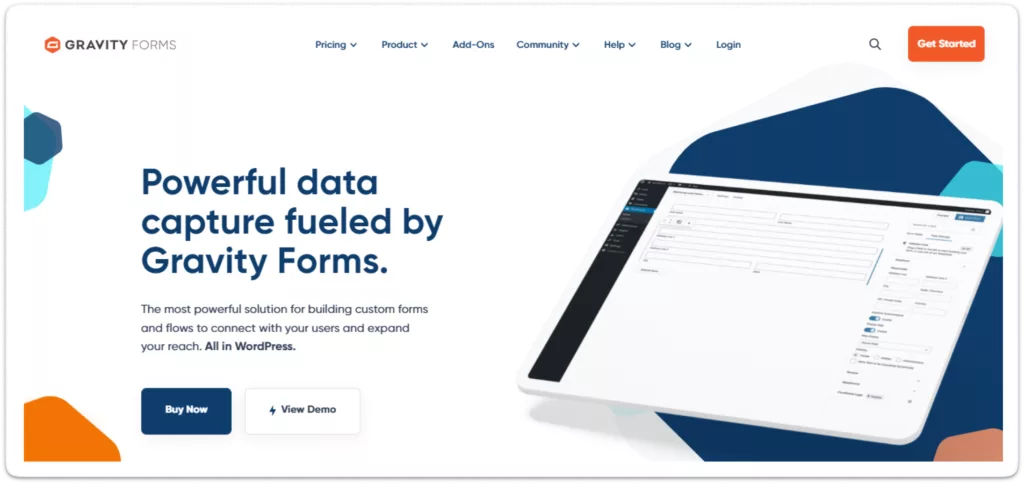
This plugin is built with advanced features and gives you full control over the forms. It helps in creating complex forms, fast and easily. With features like conditional logic, multi-page forms, and many add-ons, Gravity Forms will work perfectly, whether it be simple surveys or even a detailed data collection process. You can easily make small changes or add new sections to your forms with Gravity Forms. It allows you to customize forms to fit your needs.
Features of Gravity Forms:
Extensive Form Field Options: With more than 30 field types, Gravity Forms fills many different needs. It has fields including text boxes, dropdown lists, checkboxes, file uploads, pricing fields, and multi-selects.
User Registration and Post Creation: Gravity Forms includes features for creating user registration forms, making it ideal for membership sites.
Extensive Add-Ons: Get payments, CRM integration, and more enhanced functionality.
Save and Continue: The “Save and Continue” feature is designed for longer forms, allowing users to save their progress and return later to complete the submission.
Conditional Logic: Create smart forms that respond based on what users input. For example, showing more questions if a certain answer is picked makes forms more interesting and useful.
Developer-Friendly: This is a good choice if you are a developer who wants a form that you can change as per your custom needs.
Payment Gateways: Integrate with popular payment gateways like Stripe, and Paypal.
Note: Gravity Forms doesn’t offer a free version.
Fluent Forms – The Fastest WordPress Form Builder
Fluent Forms is a great choice, it’s so easy to use and fast. It has a very simple drag-and-drop builder and many templates that will let you create nice forms quickly. Fluent Forms also integrates with popular services like Mailchimp, Zapier, and Salesforce.
Features of Fluent Foms:
Drag-and-drop Form Editing: Create forms easily by drag-and-drop form fields and make the form user-friendly on all devices.
Conditional Logic: Conditional logic lets you show or hide form sections based on user input. For example, users can fill in basic details like name and email, and based on their input, additional fields for company details can appear automatically.
Entry management: Fluent Forms makes it easy to manage and view thousands of entries without reloading the page.
Multi-column Forms: Make forms look nicer by spreading fields out into several columns.
Anti-spam protection: Built-in spam protection via Google reCAPTCHA and honeypot methods.
FormGent – AI-powered Lightweight Form Builder
FormGent is a beginner-friendly, lightweight but powerful form builder plugin. It comes with AI-powered form creation, conversational forms, advanced fields like – digital signature, repeater, rating scale, Google Maps, payment integrations, webhooks and integrations and advanced analytics to make your form building simple and effortless.
Features of FormGent:
Beginner-friendly Interface: FormGent is native builder based meaning anyone can build forms using the drag and drop interface without learning curve.
Conversational Forms: FormGent offers conversational form creation that boosts engagement in its Free plan.
Conditional Logic: Tailor your form suited to various users by showing/hiding specific fields using conditional logic. This advanced feature is also available in the Free plan.
AI Form Creation: FormGent allows users to build forms with a single prompt. Limited in Free plan but you can create up to 5 forms with AI without buying a subscription plan.
Advanced Fields: Advanced form fields like rating scale, Google Maps, digital signature, repeater, 6 payment specific fields makes FormGent ideal for all purposes.
Multi-Step Form: Use Page Break fields to break down long forms into multiple digestible steps, display progress with bar or pagination.
Integrations and Webhooks: FormGent allows integrations with Zapier, MailChimp, Zoho CRM, Google Sheets etc. Plus, you can connect to any API using webhooks.
Spam protection: FormGent comes withspam protection including Google reCAPTCHA, Cloudflare Turnstile, hCAPTCHA and honeypot protections.
iFrame Embed: You can launch your forms in any external sites using iFrame.
MetForms – Best Elementor Form Builder
One of the best Elementor form builder MetForms is a powerful form builder tool that has been developed to use as a form building plugin with Elementor on the WordPress site. This metForms plugin can be effortlessly integrated with Elementor allowing the user to design and build a form without leaving your page. You can easily create a contact form for Elementor form builder with MetForm.
Features:
Elementor Integration: A seamless design experience with the popular Elementor page builder.
Drag-and-Drop Builder: Create forms easily within the Elementor interface.
Form Analytics: You can generate detailed reports on form performance.
Conditional Logic: You can show or hide fields based on user responses.
Integrations: Met Form can be connected with common email marketing tools and CRM systems.
Multi-Step Forms: Create multistep form WordPress to make the experience more engaging.
Ninja Forms – Forms that Grow with Your Business
The Easy and Powerful WordPress Form Builder is Ideal For those looking for a custom form builder with infinite possibilities. Ninja Forms is Lightweight feature-rich and fit for any form-building needs. Lots of customization and add-ons With its easy-to-use interface and support for lots of other tools, it is perfect to start with while also providing more features for advanced users. Ninja Forms is simple but does not mean fewer options, and you get both contact forms & multi-step complex forms.
Features of Ninja Form:
Drag-and-Drop Interface: You can create forms without coding. Easy to use, making form creation quick and intuitive.
Unique Field Validation: Ensure fields like emails are unique, avoiding duplicates.
Flexible Add-Ons: Buy only the features you need without a full membership.
Conditional Logic: Customize form fields based on user input. Show or hide fields based on user responses, ensuring a personalized form experience.
Multi-parts Forms: User experience will be better when the forms are going to split into multiple steps.
Integrations: Integrations with major email marketing platforms, CRMs, and payment processors.
Which Alternative to WPForms Is the Best?
While there are several great alternatives to WPForms, Bit Form stands out as the best option because it is a lightweight, user-friendly form builder that can fulfill all your form needs while being incredibly easy on your budget. Here’s why it’s the ideal choice for WordPress users:
1. Affordable Pricing
WPForms have different price levels and these are expensive for additional features. It locks features for each plan. Like you can’t accept payment with Basic & Plus plan, to use payment features you must need the Pro or Elite plan which is very expensive. Here is the WPForms pricing:
Bit Form is very affordable compared with WPForms. Bit Form offer it’s feature in every plan. For example, in a single site plan, you will get all premium features of Bit Form only at $29.25/year!
One of the Best things about Bit Form is, that it offers a Lifetime plan (LTD) as per your business needs. So don’t need to pay each year!
Plan
Bit Form Starter
Bit Form Plus
Bit Form Agency
Annual Plan
$29.25 / Year
69.00 / Year
99.00 / Year
Lifetime Plan
99.00 / Lifetime
299.25 / Lifetime
498.75 / Lifetime
On the other hand, WPForms don’t have any lifetime (LTD) plan. You need to pay every year for your subscription.
2. Ease of Use
Bit Form’s simple drag-and-drop builder will have you creating forms within just a few clicks. The builder in WPForms is also easy to use, although many of the features are only available on higher plans. On the other hand, Bit Form is more smoother and easier, meaning you get to enjoy many features without any extra charge.
3. Advanced Integrations
With so many integrations, Bit Form makes it easy to connect your forms with popular third-party services. This will be very useful in conducting email marketing, CRM systems, or payment gateways. On the other hand, Bit Form allows simple integrations that could enable you to automate tasks. WPForms has fewer integrations in its basic version, so you will need an upgrade for more options.
Note: Bit Form is directly integrated with 47+ integrations. Also, you can extend Bit Form Integrations by using the Bit Integrations plugin.
4. Unique Form Fields
Bit Form offers a variety of unique and customizable form fields that can help you create more dynamic and interactive forms. From conditional logic to multi-step forms and advanced input fields, Bit Form stands out with its flexible and feature-rich options that go beyond what WPForms offers in its free version. Besides Basic Fields Bit Form Has the following Unique Fields
5. Easy Payment Integration
Unlike WPForms, where payment integration is available only with premium plans, Bit Form offers easy and affordable payment gateway integrations, including Stripe, PayPal, Razorpay, and Mollie. This is a huge benefit for users looking to quickly set up forms for payments, donations, or subscriptions.
Bit Form has a modern and clean UI, so it’s really easy to create and customize forms. WPForms has a good user interface, but the design of Bit Form is much lighter and easier to use, even for beginners or advanced users.
7. Lightweight and Fast
One of the other big advantages of using Bit Form is that it’s very lightweight, so your website performance isn’t impacted much when using forms. This plugin is optimized for speed and therefore gives a good option to people who want a fast and responsive site without the bloat that often comes along with other more feature-rich plugins like WPForms. Here is the Bit Form vs. WPForms page speed comparison, where Bit Form stands out over WPForms.
Bit Form is lightweight and loads only 15 KB JS & CSS, ensuring your forms load quickly and don’t slow down your website. Here is the Bit Form Memory Usage report from WP Hive, where Bit Form is the winner and performs better than the WPForms.
Conclusion
WPForms is a popular plugin for building forms, but many people find the cost and the limitations too hard to handle. Plugins like Bit Form give the user much better value because of their low price, simplicity of use, advanced features, and smooth integrations with other tools.
From simple contact forms to more complex questionnaires, Bit Form gives you everything you may need to create good-looking forms without having yourself in complicated codes and/or heavy subscription plans. For a reliable, cost-effective, and highly functional tool, Bit Form is the form builder that you can trust to get the job done. Try it today and see for yourself!
Have you ever visited a website, tried to use a plugin or service, and felt completely stuck because there was no documentation page on the site? This problem is not only frustrating for users, but it slowly becomes a nightmare for site owners, too. Let me be honest with you, I’ve been in this situation […]
Imagine building your dream home. You could visit multiple stores, buying hammers from one shop, nails from another, and paint from a third. Or you could walk into one expert home improvement store that gives you everything you need at a fraction of the cost. That’s exactly what WordPress plugin bundles offer, complete toolkits that […]
Imagine spending your days clicking and copy-pasting between apps, then discovering a plugin that handles all that work for you. WordPress automation plugins promise to connect your site, forms, and stores to hundreds of apps, triggering actions instantly when events occur. This saves bloggers, marketers, and developers countless hours. But with many tools on the […]
Cookie Consent
We use cookies to improve your experience on our site. By using our site, you consent to cookies.
This website uses cookies
Websites store cookies to enhance functionality and personalise your experience. You can manage your preferences, but blocking some cookies may impact site performance and services.
Essential cookies enable basic functions and are necessary for the proper function of the website.
Name
Description
Duration
Cookie Preferences
This cookie is used to store the user's cookie consent preferences.
30 days
This cookie is set by Cloudflare to help manage bot traffic and protect the website from malicious activity. It does not collect or store any personal data and is used solely for security and performance purposes.
Used to monitor number of Google Analytics server requests
10 minutes
__utmb
Used to distinguish new sessions and visits. This cookie is set when the GA.js javascript library is loaded and there is no existing __utmb cookie. The cookie is updated every time data is sent to the Google Analytics server.
30 minutes after last activity
__utmc
Used only with old Urchin versions of Google Analytics and not with GA.js. Was used to distinguish between new sessions and visits at the end of a session.
End of session (browser)
__utmz
Contains information about the traffic source or campaign that directed user to the website. The cookie is set when the GA.js javascript is loaded and updated when data is sent to the Google Anaytics server
6 months after last activity
__utmv
Contains custom information set by the web developer via the _setCustomVar method in Google Analytics. This cookie is updated every time new data is sent to the Google Analytics server.
2 years after last activity
__utmx
Used to determine whether a user is included in an A / B or Multivariate test.
18 months
_ga
ID used to identify users
2 years
_gali
Used by Google Analytics to determine which links on a page are being clicked
30 seconds
_ga_
ID used to identify users
2 years
_gid
ID used to identify users for 24 hours after last activity
24 hours
_gat
Used to monitor number of Google Analytics server requests when using Google Tag Manager
1 minute
_gac_
Contains information related to marketing campaigns of the user. These are shared with Google AdWords / Google Ads when the Google Ads and Google Analytics accounts are linked together.
90 days
__utma
ID used to identify users and sessions
2 years after last activity
Clarity is a web analytics service that tracks and reports website traffic.