Step into the Future: Your Website is More Than Just an Asset – It’s the driving force behind your success!
Is your WordPress site ready for an upgrade? Do you want to optimize your business’s online presence? Great! You’ve just found what you’re looking for! Our expertly selected collection of the best WordPress plugins for 2026 will help you to do so. With the right tools, you can make your website more efficient, secure, and easy to use. So ready to turn your site into a strong and reliable part of your business?
Considering that we were only dealing with WordPress plugins. Our seniors tested all the plugins, including the majority of the plugins that we personally used for testing and for coming up with original ideas. However, here, most of the WordPress plugins and themes are available free of charge. At the same time, if you have a tight budget, then you can always implement them for free, also not forget without many premium features.
Facts to Consider Before Purchasing a New WordPress plugin (Developer’s opinion)
According to our senior developer, you have to at least check all these things before purchasing any plugins.
Security: Always prioritize security. Download free plugins strictly from the WordPress repository to minimize the risk of malicious code. Be cautious about downloading premium plugins from unverified sources.
Ratings, Reviews, and Active Installations: Check the plugin’s ratings, reviews, and the number of active installations. These are some of the few important factors that help to check the plugin’s reliability, usability, user experience, and engagement. According to human psychology, users are more convinced with plugins with several positive reviews and ratings and many active installations.
Compatibility: Choose a plugin that is compatible with the latest version of WordPress and other popular plugins you are using. Due to incompatibility issues, your website might lead to crashes or other technical issues.
Support and Documentation: Make sure to check that the plugin’s website consists of sufficient documentation and blogs. They can be a lifesaver when you run into issues. Also, don’t forget to evaluate the support team’s responsiveness—quick and effective support can make all the difference!
Installation Process: Check how easy it is to install the plugin. As most of the time, a complex installation process can be challenging for users, especially beginners. So, check if they have provided clear installation instructions with helpful screenshots and a comprehensive set of FAQs to guide users through the setup.
Pricing: Conduct competitive research on the plugin you want to purchase by evaluating its price, features, and support compared to its competitors. Select a plugin that is worth your investment.
Plugin Reviews by Popular Blogs: Explore plugin reviews on popular WordPress blogs. These reviews are typically in-depth analyses and comparisons with similar plugins.
Trustworthy Providers: Make sure to purchase plugins from reputable providers. This is because a well-coded plugin from a reliable provider ensures better performance and minimizes the risk of your site slowing down or crashing.
Test Run: Now there are a couple of local WordPress setups or staging sites, so test any plugin before using it on a live website. This will help in assessing the plugin’s functionality and performance without risking your live site. Well, we have a nice tool that you can use to test your favorite WordPress plugin, ToWP, a 100% free platform that allows you to test plugins, themes, and create temporary WordPress websites
Update Frequency: Look for plugins that are regularly updated. Frequent updates typically mean better security, improved features, and ongoing support from the developers.
Best WordPress plugins in 2026
Bit Integrations– WordPress Automation and Integrations plugin
Bit Integrations is the ultimate solution for integrations. It simplifies your workflow by easily integrating your WordPress website with more than 260 third-party services, including CRMs, email marketing platforms, and more. With Bit Integrations, you can automate sending data and auto-sync and update your systems without any human intervention.
Moreover, this plugin has a beginner-friendly interface, highly customizable features, and supports multiple triggers and actions, making it an effective tool for users.
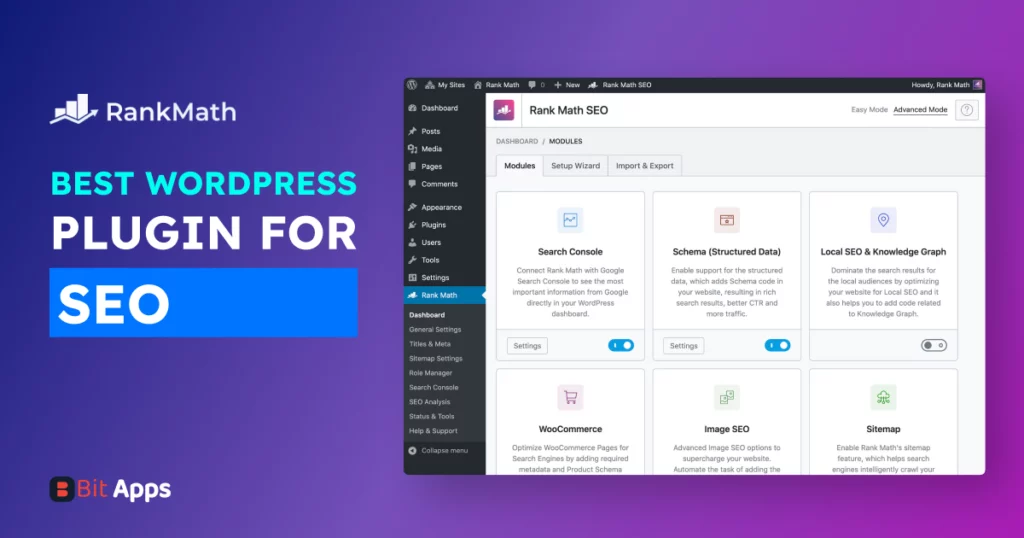
Boost your online presence with Rank Math, the WordPress SEO plugin that’s rethinking site optimization. Rank Math suits SEO beginners and experts with its sophistication and simplicity. Its easy interface unlocks the full power of your content, giving everything from keyword rankings to sitemap administration at your fingertips.
Transform your SEO strategy with a single click; Rank Math’s extensive analysis connects your website with the finest SEO principles, delivering you a clear route to improved ranks. Moreover, the integrated schema markup capabilities guarantee your content shines in search results with rich snippets, setting you apart from the competition.
Stay ahead of the competition with Rank Math’s unique keyword monitoring, enabling fast strategy adjustments directly from your dashboard. Navigate the digital world with ease as Rank Math’s powerful redirection manager automatically fixes broken links, retaining your site’s authority.
The unique 404 monitor constantly fixes faulty URLs to protect your SEO. Local SEO capabilities and smooth WooCommerce integration guarantee your items and services reach the proper audience, optimized straight out of the box.
Embrace the efficiency of automation with Rank Math, where regular activities are performed with accuracy, leaving you the freedom to focus on what matters most. For those who aim to ascend to the top of search results with minimum effort, Rank Math’s clever features and attractive style make it the perfect SEO ally for your WordPress enterprise.
Things that we like most
Keyword Ranking Tracking
Advanced Redirection Manager
Local SEO & WooCommerce SEO
Integrated Google Schema Markup
404 Monitor
updating meta tags and adding alt attributes to images
Step into the future of customer interaction with Tidio, the AI-driven platform that turns your support center into a driving force for success! Is your business ready for an upgrade? Do you want to provide real-time support while maintaining high-quality service? You’ve just found the solution! Tidio combines Live Chat, a Help Desk, and the advanced AI agent, Lyro, to make client communication seamless and effective.
With the right automation tools, you can resolve up to 67% of support tasks automatically, ensuring faster response times and more satisfied customers. Whether you are running a Shopify store or a WordPress site, Tidio integrates perfectly to help you scale fast without extra headcount. Trusted by over 300,000 companies worldwide, it is the ultimate ally for boosting sales and building long-term loyalty.
Things that we like most
Lyro AI Agent: Provides accurate, grounded responses to resolve queries automatically.
All-in-One Suite: Combines live chat, chatbot flows, and a ticketing help desk.
Seamless Integrations: Works out-of-the-box with Shopify, WordPress, and more.
Measurable Results: Proven to improve retention rates and lead qualification.
Proactive Sales: Uses Flows to recover abandoned carts and nurture leads.
Mobile-Friendly: Manage your communication on the go with a responsive interface.
Flexible Pricing: Includes a free-forever plan for those with a limited budget
ARMember – Best WordPress Membership & Subscription Plugin
ARMember is a feature-rich WordPress membership plugin that allows you to create, manage and monetize your premium content with zero coding. It comes with a set of 62+ in-built addons so you can build and monetize your online course platform, paid community, subscription business, coaching website or digital content hub.
The plugin offers flexible membership management with unlimited free and paid plans, recurring subscriptions, content restriction, pay-per-post, content dripping and custom registration and login forms. Moreover, you also get member profiles, directories, detailed reports and integrations with popular page builders, CRMs, email marketing tools, and WooCommerce for a complete membership ecosystem.
Overall, ARMember is an all-in-one membership plugin for WordPress that lets you monetize your premium content, community or online course, and earn recurring revenue. Thus its it an excellent choice for creators, educators, coaches, and businesses.
Things that we like most
Unlimited membership plans
Advanced Content Restriction & Paywall
Smart content dripping rules
Built-in Registration, Login and member profile forms
22+ Payment Gateway Integrations
Online Courses, Digital Downloads and Community Addons
Built-in gamification elements
Automatic notifications via Email, SMS and WhatsApp
Member Directories and Member’s panel
Integrates with multiple email marketing tools
Excellent customer support
WB Ad Manager – WordPress Advertising Management Plugin
WB Ad Manager is a feature-rich WordPress advertising plugin that allows you to create, manage, and rotate ads directly from your website dashboard. It supports multiple ad formats including image banners, custom HTML/JavaScript, rich media, and Google AdSense, making it a versatile solution for running different types of ad campaigns.
With flexible placement options, you can display ads in headers, footers, post content, widgets, popups, BuddyPress sections, and bbPress forums. This gives you full control over where and how ads appear across your site.
The plugin also includes advanced features like ad scheduling, device targeting, geo-targeting, frequency capping, and A/B split testing to help optimize performance and maximize revenue.
The Pro version takes it a step further by offering a frontend advertiser dashboard, allowing advertisers to manage campaigns, track performance, and handle payments from the front end.
Overall, WB Ad Manager is a reliable all-in-one solution for efficiently managing ads on WordPress sites, especially for communities and content-driven platforms.
Things that we like most
Multiple Ad Types Support (Image, HTML/JS, Rich Media, AdSense)
Flexible Ad Placement (Header, Footer, Posts, Widgets, Popups)
BuddyPress & bbPress Integration
Ad Scheduling & Rotation
Device & Geo Targeting
Frequency Capping for Better User Experience
A/B Split Testing for Performance Optimization
Frontend Advertiser Dashboard (Pro)
Responsive Plus
The Responsive Plus plugin by Cyberchimps consists of a collection of 250+ professionally designed templates that can be imported with a single click. It offers advanced features like the site builder, white label, custom fonts, mega menu, and even WooCommerce integration. It extends its functionalities by integrating with the Responsive Theme, which is a free WordPress theme.
Here are some of the key features and characteristics of the Responsive Starter Templates Plugin Library:
One-click import: The starter templates plugin enables you to import ready-made templates in just one click, and you’re free to start customising them.
Pre-Built Websites: The library includes dozens of fully designed websites for different niches, including business, blog, e-commerce store, and portfolio examples.
Page Builder Support: The templates are built for popular WordPress page builders, including Elementor and the Gutenberg Block Editor that is included with the native WordPress editor. Once imported, you just need to drag and drop to customize the imported template.
Mix-and-Match: Depending on the library you are using, you can import a single page or mix two different website templates to make a new website. It is a fantastic way to build your own unique site.
WooCommerce Ready: Many of the templates are built with WooCommerce integration for an e-commerce solution. Making it easy to get an online store set up to sell your products.
Site Builder: You can easily customize individual page headers and footers to match your brand identity. Plus, it lets you create a custom 404 page with ease.
Whitelabelling: It offers a whitelabel feature that lets you add your own company’s logo, name, and branding. As a result, it helps you deliver a fully customised website to your visitors.
Compatible with essential plugins: The Book Author Starter Template is designed to be compatible with crucial plugins, which extend its functionality beyond just a basic layout.
With it, you can use the Responsive Addons for Elementor plugin for Elementor Templates, which offer more than 80 widgets, and the Responsive Blocks plugin for Gutenberg templates, which offer more than 50 blocks.
Things that we like most
One-click import
Variety of designs
Elementor and Gutenberg support
EWWW– Best WordPress plugin for image optimization
The plugin saves time by optimizing WordPress photos upon upload. Optimizes photos in bulk, which is beneficial for websites with many images. It compresses images from lossless to lossy, reducing space while sacrificing quality. The plugin converts photos to WebP, which compresses better. Lazy loading is advanced by EWWW.
It shows a low-quality placeholder picture until the full-quality image loads instead of delaying image loading. This method greatly improves loading times. EWWW optimizes locally and in the cloud. Faster and more private, local image optimization uses your server. In contrast, cloud optimization offloads computation to external servers, which can reduce server stress.
EWWW works well with most WordPress plugins and themes. EWWW doesn’t limit picture speed or file size, unlike many other plugins. Websites with many photos benefit from this feature.
Things that we like most
WebP conversion without JavaScript
Automated Lossless Compression for Original Images
Adaptive Steering with Easy IO
No speed limits and unlimited file size
ExactDN image acceleration
Bulk Optimization Without Server Limitations
Bookify– Best Appointment Booking Plugin
Bookify is a diversified and feature-rich appointment booking plugin. It offers the entire WordPress scheduling process for service-based businesses, featuring premium features such as Google and Outlook Calendar sync, Google Meet integration, time zone-aware bookings, and unlimited staff management. All these business-facilitating features make it a powerful solution right out of the box.
The standout advantage of Bookify is its rich customization options. The premium version includes powerful booking tools, built-in analytics, and multiple payment processor support, many of which help you customize the system to your unique needs.
Bookify offers both a free and a premium version. To integrate advanced features into your WordPress system, like Google/Outlook/Meet integrations, time zone-aware scheduling, and unlimited staff bookings, upgrading to Bookify Pro is highly recommended.
Things that we like most
Admin appointment dashboard with integrated calendar
Unlimited staff, services, locations with multi-slot and timezone support
Secure PayPal and Stripe integrations (PCI-compliant)
Customizable email notifications, reminders, and branding
Embedded [bookify_bookings] and [bookify_appointments] shortcodes
Integrations: Google Calendar/Meet and Outlook sync (Pro version)
Manual appointment creation and CSV export
24/7 premium support and detailed documentation
W3 Total Cache– Best WordPress plugin for Bloggers
W3 Total Cache is a renowned WordPress plugin designed to enhance website performance and user experience, especially for high-traffic and media-rich sites. It enhances the site’s speed, provides faster downloads, and is compatible with Content Delivery Networks (CDN). In a nutshell, the fastest way to go back to a page, which improves the server performance improvement. The plugin also caches the website’s static resources through page caching, and if the pages are already cached, those are sent out without requiring the pages to reload. It also offers browser caching where some static components such as images, style sheets, and javascript files are kept on the user end to lessen server traffic and speed up access to the website.
Through minification and compression, W3 Total Cache reduces HTML, CSS, and JavaScript file sizes, further enhancing load speeds. It also optimizes WordPress database performance by caching database queries. Global CDN integration distributes site assets across multiple servers, ensuring faster loading for users worldwide.
Moving on to the speed land, the plugin also offers a lazy load for images, which means that images will only load when needed. It also provides responsive and fast mobile sites with site caching. W3 Total Cache also pays attention to the cache’s safety and makes an effort to secure cache contents to avoid leaking sensitive data. W3 Total Cache also gives useful features to track and improve page speed and overall performance through different optimization strategies.
Things that we like most
Advanced Minification
Full Page Caching
Lazy Loading for Images and Videos
Browser Caching with HTTP Compression
CDN Integration
Detailed Performance Insights
Bit Form– WordPress Contact Form Plugin
Bit Form, a leading WordPress contact form builder with 40+ form fields for any type of form revolutionizes online interactions with customers. In fact, its Form Abandonment feature strategically collects input data from half-filled forms which eventually improves marketing and lead generation. Like Survey Monkey, Piping adds dynamic interactivity to forms utilizing field values as labels or text.
Bit Form’sMulti Pageor Multi Step Form functionality simplifies complicated forms with actionable stages and progress indicators. The Standalone Form and Landing Page feature distraction-free form sharing to boost conversions. Bit Form consists of in total 60 Multi-Column Layouts, which allows extensive customization of form designs. One of the exciting features of Bit Form is its built-in style editor, which allows you to create unlimited forms that perfectly align with your brand’s voice.
With PayPal, Razorpay, Stripe, and Mollie integration Bit Form ensures safe and secure transactions. You can create a WordPress payment form applying conditional logicsimply by integrating these payment gateways. Its built-in free SMTP feature facilitates smooth communication, while the double-option feature adds an extra layer of spam protection.
Comprehensive integration with over 200 platforms, like Google Sheets and WooCommerce, streamlines your workflow. The WP Auth functionality increases form flexibility by converting them into WordPress registration, login, or password reset forms.
Bit Form has always put customers’ security first, and for that reason, it integrates with Cloudflare Turnstile Captcha and Google ReCaptcha to protect customers against spam and fraud. Plus, its user-friendly duplication and cloning features make it easier to manage and replicate forms efficiently.
Lastly, Bit Form’s Analytics Report offers insightful data visualization tools to better understand user interactions, making form-building seamless, secure, and dynamic.
Attaches pdf download link in email template and Confirmation message
Super lightweight form builder
Very cheap price (best for beginners and for those who have a limited budget)
iThemes Security-Best WordPress plugin for security
Popular WordPress plugin iThemes Security protects websites from assaults and illegal access. It adeptly restricts login attempts and bans IPs with excessive failures, preventing brute-force assaults. The plugin vigilantly warns users about odd file alterations, the key to early attack detection.
To protect accounts, iThemes Security requires strong passwords for administrators. Two-factor authentication (2FA) adds login security. Encrypting cookie data requires changing WordPress salts and security keys, which the plugin facilitates.
iThemes Security backs up your website’s database in case of security breaches. 404 errors, which may signal site vulnerabilities, are monitored and logged. The plugin hides or changes WordPress login and admin URLs to prevent automated assaults.
The plugin provides you with a simple dashboard and email notifications for security occurrences. It also masks the WordPress version number to prevent targeted assaults and interacts with internet virus scanners for site audits.
Things that we like most
Two-Factor Authentication
Passwordless login
File change detection
404 detection and lockout
Online file comparison
Security dashboard and email notifications
Bit Assist– WordPress Chat Widget Plugin
Elevate your WordPress site with Bit Assist, the ultimate floating chat widget that seamlessly blends over 30 communication platforms into one stylish interface. Effortlessly connect with customers through WhatsApp, Messenger, Instagram, and more, all tailored to your site’s unique style.
Introducing the revolutionary Form Abandonment feature—never miss a lead again, as users can partially fill forms for later completion. Plus, Bit Assist’s analytics dive deep into engagement metrics, refining your customer interaction strategy with precision.
Bit Assist is highly responsive, within a few clicks, it adapts to any device, displaying a WhatsApp button for mobile screens and Facebook Messenger for desktop screens. Also, ensure that your help is both apparent and responsive by using customizable animations to capture visitors and rapidly spark discussions with pre-defined messages.
Manage your availability with Business Hours, select which pages showcase the widget, and create multiple versions with ease. The Pro version takes functionality further with webhook integrations, external website publishing, and unlimited widgets.
Bit Assist isn’t just a chat widget; it’s your 24/7 digital concierge, transforming every visitor interaction into a personalized customer journey. Enhance your support, boost your engagement, and watch your business grow with Bit Assist.
Things that we like most
Device-specific display options
27+ chat buttons and icons
Easy setup process
Form abandonment feature
Integrated FAQ and Knowledge-Base buttons
Predefined messages
Analytics Integration
Page-Specific Display Options
External Website Publishing
Integration with WooCommerce
Custom channel button
Pretty Links– WordPress plugin for affiliate marketing
Pretty Links is a popular WordPress plugin for affiliate marketing and link management. It transforms long, difficult URLs into beautiful ones. It streamlines affiliate link administration, marketing tracking and analysis, and SEO-friendly website maintenance for affiliate marketers.
Pretty Links creates affiliate links from keywords or phrases. When managing several website links, saves time. Pretty Links lets you designate affiliate links ‘nofollow’ or sponsored for SEO. This matters because search engines may penalize sites for excessive affiliate link usage without labeling.
It also simplifies managing affiliate links by categorizing and tagging them. Easy to track and analyze product and campaign performance. Additionally, Pretty Links enables 301, 302, and 307 redirections for temporary promotions or permanent link structures.
The most important Pretty Links function is Cloaking URL. Pretty Links hides affiliate IDs and other information to shorten affiliate links. It also stops affiliate commission hijacking. Pretty Links gives extensive information about link performance, including clicks, unique visitors, and geographical areas, which I love. This data helps you improve your marketing strategy and identify what works in your campaigns.
Things that we like most
Link Import and Export
Provide professional and trustworthy links
Enhanced tracking and analytics
URL cloaking
Link Management and Organization
Bit Social– WordPress Post Scheduler and Auto Poster
Boost your online presence effortlessly with Bit Social, the ultimate WordPress scheduler and auto-poster plugin. Manage all your social media accounts in one place and publish WordPress posts to multiple platforms with just a click! Whether it’s auto-posting, advanced scheduling, or filtering posts by time, category, or tag, Bit Social does it all.
Customize your posts to suit each platform and schedule them to go live even when you’re offline. Perfect for bloggers, marketers, and businesses, Bit Social ensures your content reaches your audience at the right time, increasing engagement and visibility.
With Bit Social, you’re always in control. Post smarter, not harder!
Things that we like most
Auto-post WordPress content to multiple social media accounts.
Advanced scheduling to plan posts for peak engagement times.
Filter posts by time, categories, or tags for precise targeting.
Customizable post templates for different social platforms.
Share and schedule posts even when you’re offline.
WooCommerce– Best WordPress plugin for selling digital products
WooCommerce is a popular WordPress eCommerce plugin. WordPress websites may become fully working online stores using it. Woocommerce is the greatest plugin for selling digital things if you want to sell anything. It is the best choice for absolute beginners due to its user-friendly interface. Additionally, its integration provides a familiar environment for WordPress website owners.
Moreover, WooCommerce offers great flexibility to sellers, allowing them to sell a variety of items, including physical goods, digital products, subscriptions, and appointment-based services. Basically, Themes and plugins let users customize their store according to their customer’s convenience.
Since WooCommerce is free, it is a cost-effective solution for small businesses and online stores without breaking the bank. It includes inventory management, tax calculations, shipping integration, secure payments, and more eCommerce capabilities. WooCommerce’s analytics and reporting features allow you to measure shop performance, evaluate consumer behavior, and make data-driven choices.
Things that we like most
Cost Effective and customizable
Analytics and Reporting
Secure and reliable
Large community support as it has large community users and developers
Super flexible
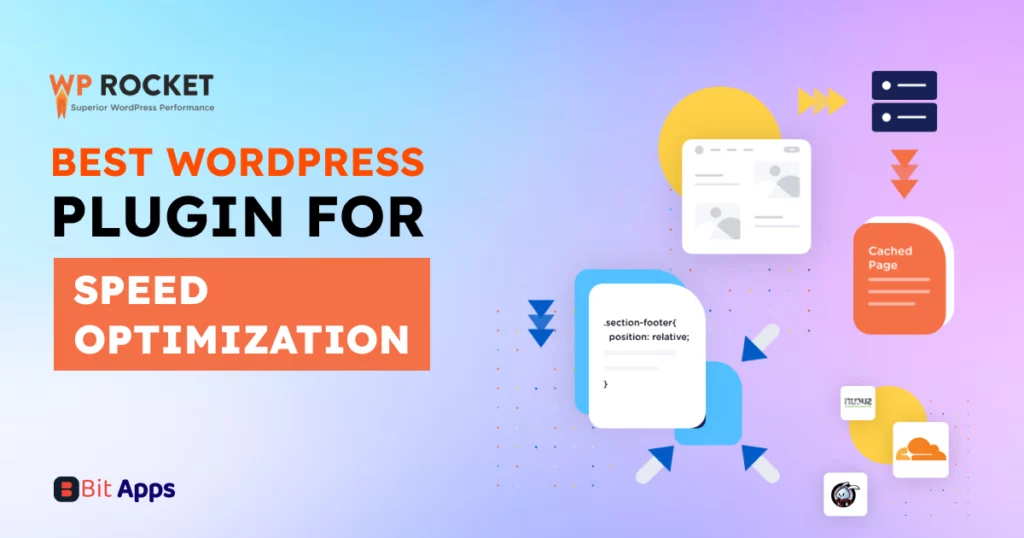
Wp Rocket– Best WordPress plugin for speed optimization
Just like your visitors, Google also loves fast-loading websites. Google undoubtedly prioritizes a website’s speed in its ranking algorithm, such that fast-loading websites’ tend to rank higher in search engines. Eventually improving website exposure and traffic.
Websites that are slow-loading most of the time experience higher bouncing rates, where visitors leave before reading the full content. Therefore, to boost your website’s speed and overall performance, consider using WP Rocket. This powerful optimization plugin significantly improves site speed by building static HTML pages of your content, which reduces server load and accelerates delivery.
Among other popular features of WP Rocket, storing browsing history is the most useful one. This feature allows speedier load times for returning consumers. Also, optimizes your WordPress database by removing old and unnecessary updates and drafts, which speeds up your site and improves database performance. The plugin also implements lazy loading for images and videos, so they only load as users scroll, further boosting page load times.
Optimize your site’s speed and improve user experience with WP Rocket—your solution for faster loading times and better SEO performance.
Things that we like most
Mobile specific cache
CDN(Content DeliveryNetworks) Integration
Compatibility with various hosting environments
Reduces the weight of your HTML, JavaScript, and CSS files
The GDPR cookie consent plugin is the best WordPress plugin for cookie consent management on WordPress sites. This valuable plugin allows you to customize the text, background, and button colors of the cookie banner, ensuring compliance with regulations like GDPR and CCPA. This helps you obtain user consent before placing cookies on your site.
The plugin also supports displaying an IAB-compliant cookie banner that includes a list of all the supported vendors, making it easy for visitors to see and control how their data is used. Using the cookie scanner tool, you can scan and list all the cookies used on your site and display this information in your cookie policy. The plugin also offers a pre-built template to generate a cookie policy easily.
You can block all third-party cookies until you receive visitors’ consent. Additionally, you can grant partial consent to use cookies depending on their category or purpose. All consent information is recorded in a log that can be exported to a CSV file. The log includes details about the approved cookies, consent time, user IP, and other relevant information.
Things that we like most
Creates cookie consent banner
Blocking of third-party cookies
Scan and list the available cookies used on the website
Enable GDPR cookie consent banner only to EU visitors
Granular control of cookies to users
Maintenance of a consent log
All-in-One WP Migration– Best WordPress plugin for backups
All-in-One WP Migration is a WordPress plugin designed to migrate WordPress websites from one hosting environment to another. By using this WP plugin, migration streamlines the complex process of transferring a WordPress site. This process includes transferring of databases, files, plugins, and themes to a completely new hosting server or domain.
If you’re moving your site to a new hosting service, rebranding or changing your website’s domain name, the plugin ensures a hassle-free and smooth transition while keeping your site intact. It can be the best option who can manage their website but lack technical knowledge. They will find this tool particularly useful for any migration needs.
The plugin is committed to a high degree of reliability during the migration process, reducing the risk of data loss or corruption. It will be very time-consuming and technically challenging as well if you need to migrate your site manually.
It also handles serialization and deserialization of data, ensuring compatibility between different PHP and MySQL versions on various servers.
Things that we like most
No technical expertise is required
Time -saving
Ensures a high degree of reliability
Sender-Best WordPress plugin for lead generation
Make your WordPress websites a powerful source of lead generation with an extremely strong email marketing and automation plugin like Sender. Its advanced automation features easily automate both email and SMS campaigns using time-based or action-based triggers. Thus ensuring the messages land in front of prospects at the perfect moment. Sender also helps you to lighten your workload by using pre-built tools that handle everything—from abandoned cart recovery to welcoming new clients.
Embrace the power of SMS with Sender’s integration, extending your reach directly to clients’ mobile phones. Manage your email and SMS campaigns effortlessly from a singular, intuitive dashboard, streamlining your marketing efforts.
Moreover, its advanced reporting functionalities allow you to get a deeper understanding of Your Sales, Email SMS Performance, and Subscriber Activities. These analytics help you make data-driven decisions and improve the effectiveness of campaigns.
Also, most importantly, the free plan of Sender helps you to scale your business from a startup to an established enterprise. So stop simply emailing today! And start sending with Sender to make your digital marketing a fun-filled adventure!
Things that we like most
Integrated Email and SMS Automation
Time- or Action-Based Triggers
Hyper-Targeted Communication
User-Friendly Unified Dashboard
Advanced Reporting and Analytics
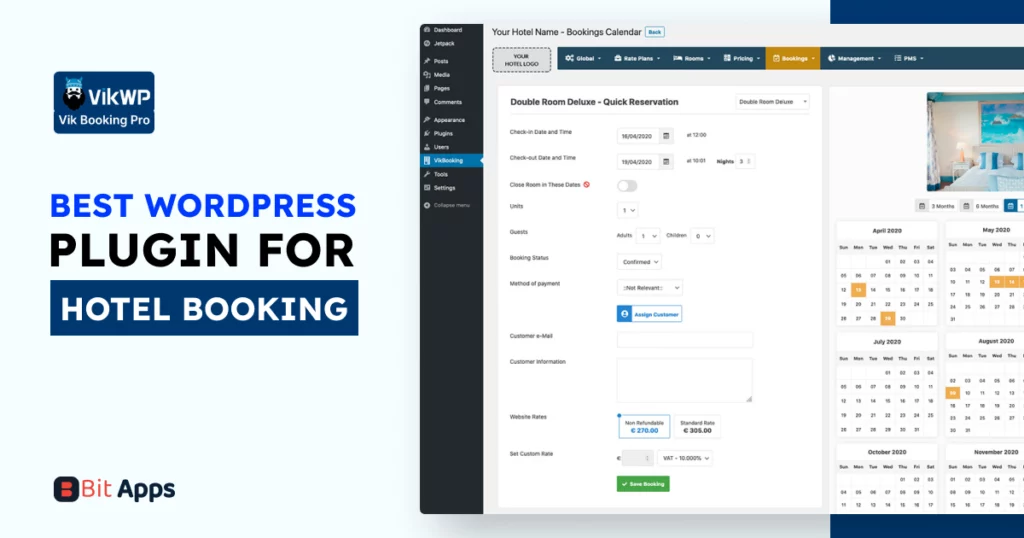
VikBooking– Best WordPress plugin for hotel booking
VikBooking is a powerful booking and PMS (Property Management System) for WordPress users. It is mainly designed for the accommodation and travel industries to manage hotels, B&Bs, holiday homes, apartments, and campgrounds.
So, if you’re a hotel owner, resort owner, or a manager for you VikBooking is a must-try plugin. I tell you why: it manages booking, reservations, pricing, availability, and customer data so efficiently that, it becomes easier to run a successful hospitality business. It supports online booking, which is a must for modern digital hospitality businesses to attract a wider audience and easy reservations. Other than that, VikBooking offers customization options to cater to different types of properties and business models in the hospitality sector.
Like other booking plugins VikBooking not only prioritizes the booking sector, but it also functions as a Property Management System. Let me explain. How? it supports integration with channel managers, syncing bookings across various popular platforms like Booking.com, Airbnb, etc.
Things that we like most
Payment Integration
Customizable Booking Rules
Direct Booking Benefits
Channel Manager Compatibility
Integrated PMS(property management system)
Questions You May Ask
What are the key benefits of using WordPress plugins for my website?
WordPress plugins enhance functionality, improve user experience, automate tasks, boost SEO, and provide security and performance optimization for your website.
Can installing too many plugins slow down my WordPress site?
Yes, overloading your site with plugins can lead to slower performance. It’s important to install only necessary plugins and ensure they are well-coded and optimized.
How do Bit Form, Bit Integrations, and Bit Assist work together to enhance my website’s functionality?
Bit Form is for form building, Bit Integrations is for connecting your form with other services, and Bit Assist offers customer support features.
Will EWWW Image Optimizer compromise the quality of my website’s images?
EWWW offers both lossless and lossy compression, allowing you to optimize images without significant quality loss.
What makes iThemes Security stand out from other WordPress security plugins?
iThemes Security offers unique features like temporary privilege escalation, passwordless login, and version management.
How does Pretty Links benefit affiliate marketers specifically?
Pretty Links helps create clean, branded URLs, tracks link performance, and provides cloaking for affiliate links.
Does FS Poster support scheduling posts on multiple social media platforms?
Yes, FS Poster allows you to schedule and automatically post content to various social media networks. Also, there is another social media plugin named Bit Social. You can also try it.
Can I use WooCommerce for digital products or subscriptions?
Yes, WooCommerce supports the sale of physical products, digital downloads, and subscriptions.
Can I use these plugins together, or will they conflict with each other?
Most well-coded plugins work well together, but always test new plugins on a staging site first to check for conflicts. You can use Towp.io to test WordPress plugins. Use an email to log in to ToWP.io in 10 seconds without a password.
Building a WooCommerce store is exciting in the beginning. You install WooCommerce, upload products, connect a payment gateway, and feel like the hard part is done. Then you may need something that the core WooCommerce doesn’t cover. A customer abandons checkout because the process feels too plain. Another leaves because shipping costs look confusing. Someone […]
Choosing a WordPress LMS plugin is not as easy as it looks. Many plugins promise course building, quizzes, payments, and student management. But once you start comparing them, the differences become clear very fast. Some are easier to use. Some give you more control. Some are better for selling courses. Others work better for memberships […]
One of the easiest ways to increase average order value and boost sales in your WooCommerce store is by offering product bundles with discounts. Now, there are several product bundle plugins, but we picked the ones that have proven to grow a WooCommerce store’s revenue. Here’s the quick look at these tools: Quick overview of […]
Cookie Consent
We use cookies to improve your experience on our site. By using our site, you consent to cookies.
This website uses cookies
Websites store cookies to enhance functionality and personalise your experience. You can manage your preferences, but blocking some cookies may impact site performance and services.
Essential cookies enable basic functions and are necessary for the proper function of the website.
Name
Description
Duration
Cookie Preferences
This cookie is used to store the user's cookie consent preferences.
30 days
Cookie Preferences
This cookie is used to store the user's cookie consent preferences.
30 days
Cookie Preferences
This cookie is used to store the user's cookie consent preferences.
30 days
This cookie is set by Cloudflare to help manage bot traffic and protect the website from malicious activity. It does not collect or store any personal data and is used solely for security and performance purposes.
Used by Google Analytics to determine which links on a page are being clicked
30 seconds
_ga_
ID used to identify users
2 years
_gid
ID used to identify users for 24 hours after last activity
24 hours
_gat
Used to monitor number of Google Analytics server requests when using Google Tag Manager
1 minute
__utmt
Used to monitor number of Google Analytics server requests
10 minutes
__utmb
Used to distinguish new sessions and visits. This cookie is set when the GA.js javascript library is loaded and there is no existing __utmb cookie. The cookie is updated every time data is sent to the Google Analytics server.
30 minutes after last activity
__utmc
Used only with old Urchin versions of Google Analytics and not with GA.js. Was used to distinguish between new sessions and visits at the end of a session.
End of session (browser)
__utmz
Contains information about the traffic source or campaign that directed user to the website. The cookie is set when the GA.js javascript is loaded and updated when data is sent to the Google Anaytics server
6 months after last activity
__utmv
Contains custom information set by the web developer via the _setCustomVar method in Google Analytics. This cookie is updated every time new data is sent to the Google Analytics server.
2 years after last activity
__utmx
Used to determine whether a user is included in an A / B or Multivariate test.
18 months
_ga
ID used to identify users
2 years
_gac_
Contains information related to marketing campaigns of the user. These are shared with Google AdWords / Google Ads when the Google Ads and Google Analytics accounts are linked together.
90 days
__utma
ID used to identify users and sessions
2 years after last activity
Clarity is a web analytics service that tracks and reports website traffic.